23
LIQUID-COUPLED HEAT EXCHANGER ECONET
®
Installation & Maintenance Manual
23
FläktGroup DC_9010GB 20180327_R0 Specifications are subject to alteration without notice
Blinking
ALTERNATIVE 1
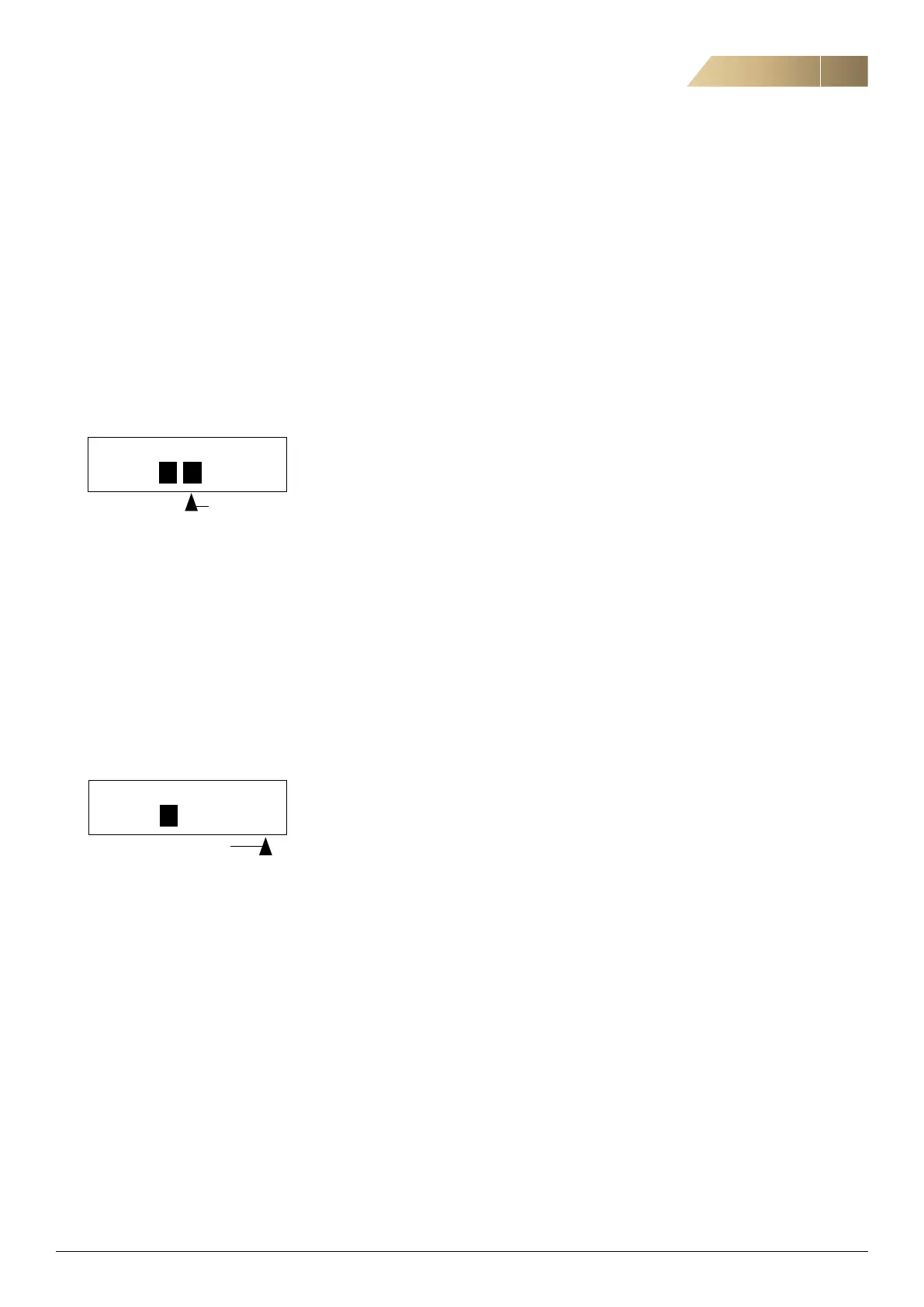
When you press the + or - keys to change a value, the cursor is
blinking to the left in the display and the value is increased or
decreased when you press the appropriate key. If you keep the
+ or - keys pressed, the value will increase or decrease continu-
ously. When you keep the key pressed the change speed will
increase. The Toggle key is used to change the sign of the
entered value. The sign of the value will also change when zero
is passed. Press Enter to confirm the value.
331 Acc. Time
Stp A 200s
ALTERNATIVE 2
Press the + or - key to enter edit mode. Then press the Prev or
Next key to move the cursor to the right most position of the
value that should be changed. The cursor will make the selected
character blink. Move the cursor using the Prev or Next keys.
When you press the + or - keys, the character at the cursor
position will increase or decrease. This alternative is suitable
when you want to make large changes, i.e. from 2 s to 400 s.
To change the sign of the value, press the toggle key.
This makes it possible to enter negative values.
Example: When you press Next the 4 will blink.
331 Acc. Time
Stp A 400s
Press Enter to save the setting and Esc to leave the edit mode.
Blinking
COMMISSIONING THE UNIT
Before start there are few things that need to be checked.
1. Select the right language. Either press one second
the LOC/REM button or go to the parameter 211.
2. Log in parameter C10 with the password 2000.
3. Go through Motor data in group 220. Right values can
be found from motor nameplate.
4. Go through basic and operational settings in group
D10 and D20. List of right values is included the delivery.
5. Select right supply air sensor values in parameter
group D11. Select pressure linear or flow linear sensor
in parameter D111. Set sensor pressure range in para-
meter D112. Set supply fan K-factor in parameter D113.
This value can be found in the fan module product label.
6. Test signals between EcoNet unit and BMS system.
Connect both functional and component alarms to BMS
system. Alarm can be tested by increasing GP40 pressure
switch low level set point over the system pressure.
Set it back to 0,5bar. Settings can be done with screw-
driver. Alarm need to stop the fan.
7. When unit is running check pump is rotating in the right
direction.
8. Check also temperature and flow measurements from
parameter group A00.


 To Next Page