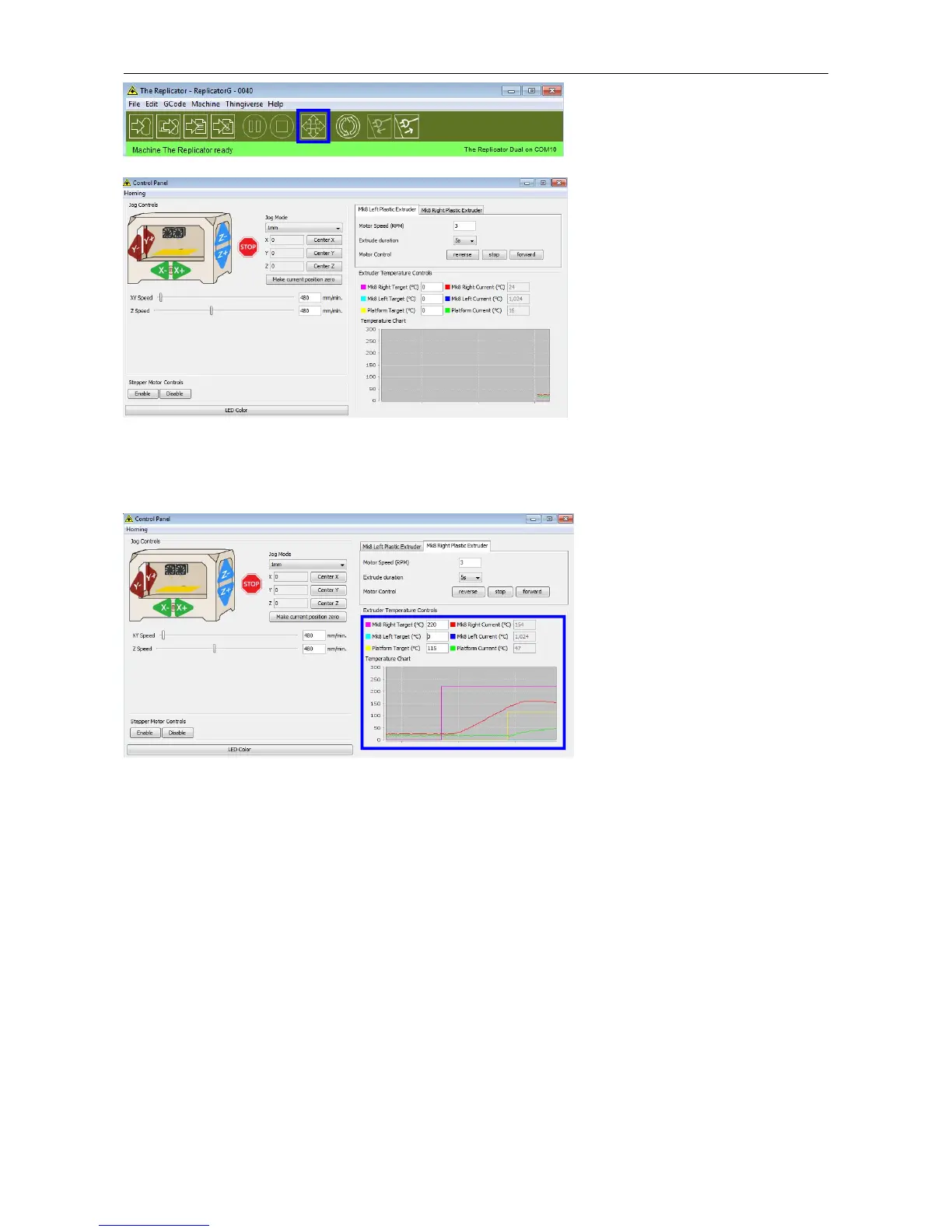
Input the following target values: 220°C for the extruder and 115°C for the heating platform. After entering the values,
the platform will start to warm up. When the extruder temperature reaches 50°C, the cooling fan will be activated and
the current temperature value will display to the right as shown below.
6 Filament
To make the process of feeding or withdrawing the filament easy, please follow the next few steps carefully:
After inserting the filament into the feeding hole, do not push it further until the extruder temperature reaches 200°C
or more. Once the machine reaches this point, you will feel the filament being pulled into the extruder head.
6.1 Install Filament
First, remove the filament guide tube from the extruder head.















 To Next Page