8Dual Extruder Print
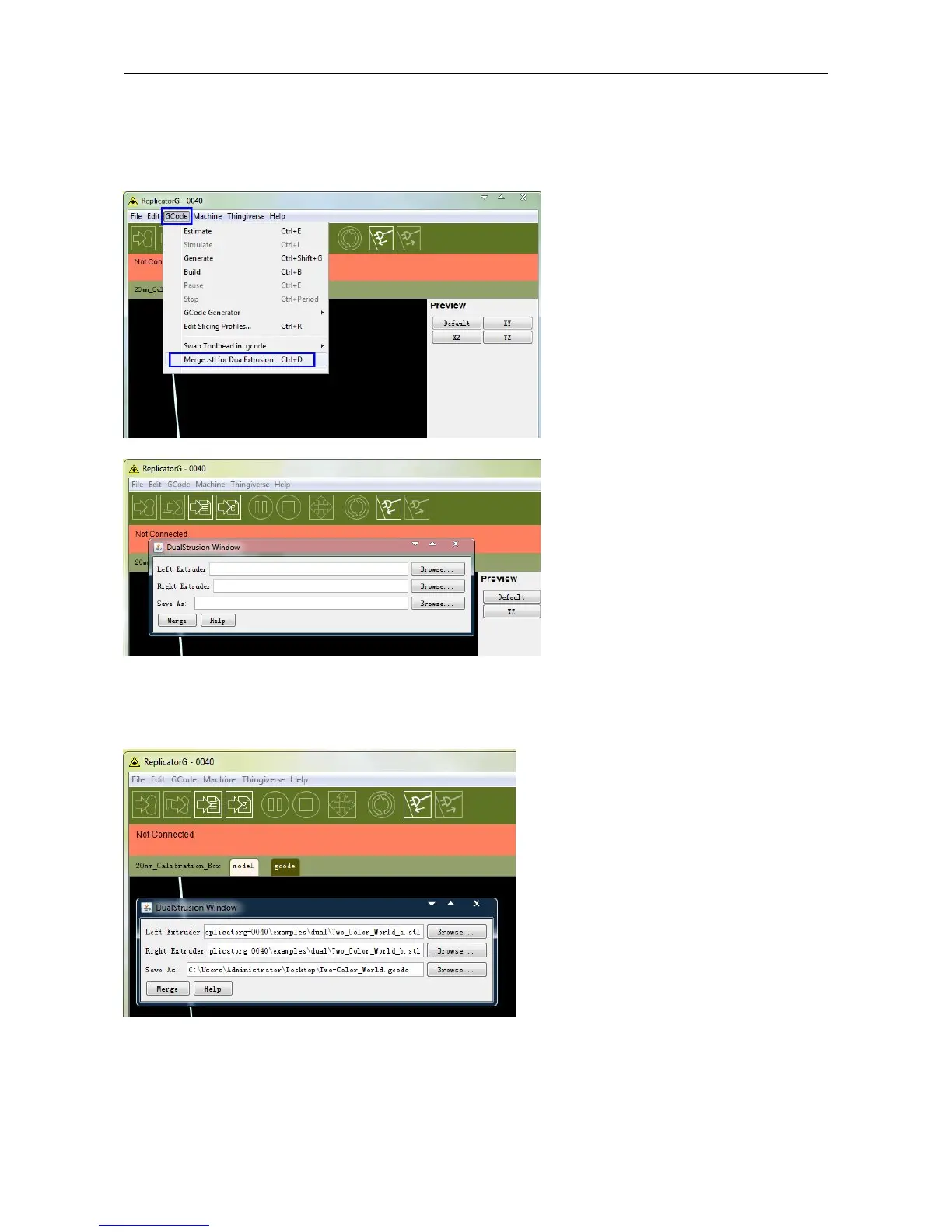
Open ReplicatorG and select Gcode > Merge .stl for Dual Extrusion. You will see following:
Click on the first Browse button to locate and select the file for left extruder; and then click on the second Browse
button for right extruder. For example, you can find the examples folder in its installation path. Open the folder
examples select Two_color_world_a.stl for left extruder and repeat the process for the right extruder as shown below:
Now you need to save it to the desktop with the suffix format .gcode. Click Merge, two dialogue boxes will then pop
up.
NOTE: Do not check "the 'use raft/support' option. If you want to print dual colors with PLA filament, then perform the
following settings:















 To Next Page