Please make sure to read this page carefully prior to setting up and operating the Creator Pro.
The Creator Pro is very sensitive to static electricity, so please make sure you contact a grounded object
before operating the machine.
Before repairing or making any alterations to the Creator Pro, it is essential that the machine is turned off
and the power cord is unplugged.
The Creator Pro operates at very high temperature; allow the nozzle, the extruded plastic and heating plate
to cool before touching.
Some plastic filaments may give off a little odor when heated. Because of this, the machine should always
operate in a well-ventilated area.
Do not wear gloves when operating or repairing, as entanglement may occur and cause injury.
Do not leave the machine unattended when in operation.
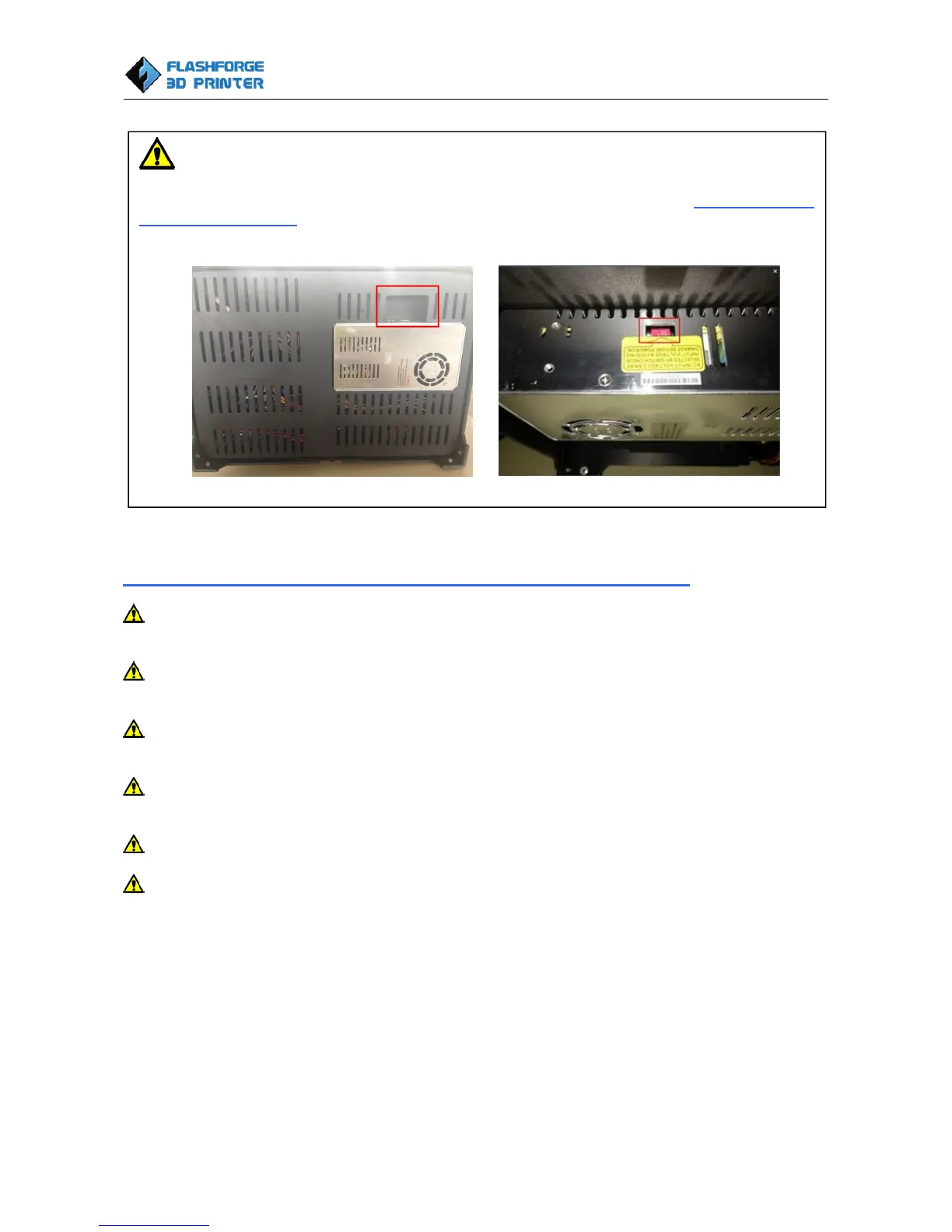
WARNING
Flashforge sets the power supply to default 230v before leaving factory. If voltage in your location is between 90v
to 132v, please switch the power setting from 230v to 115v before you plug in the power. Failure to do so will
damage the motherboard. You can find the power source at the bottom of Creator Pro. The red box is where the
power setting is located:















 To Next Page