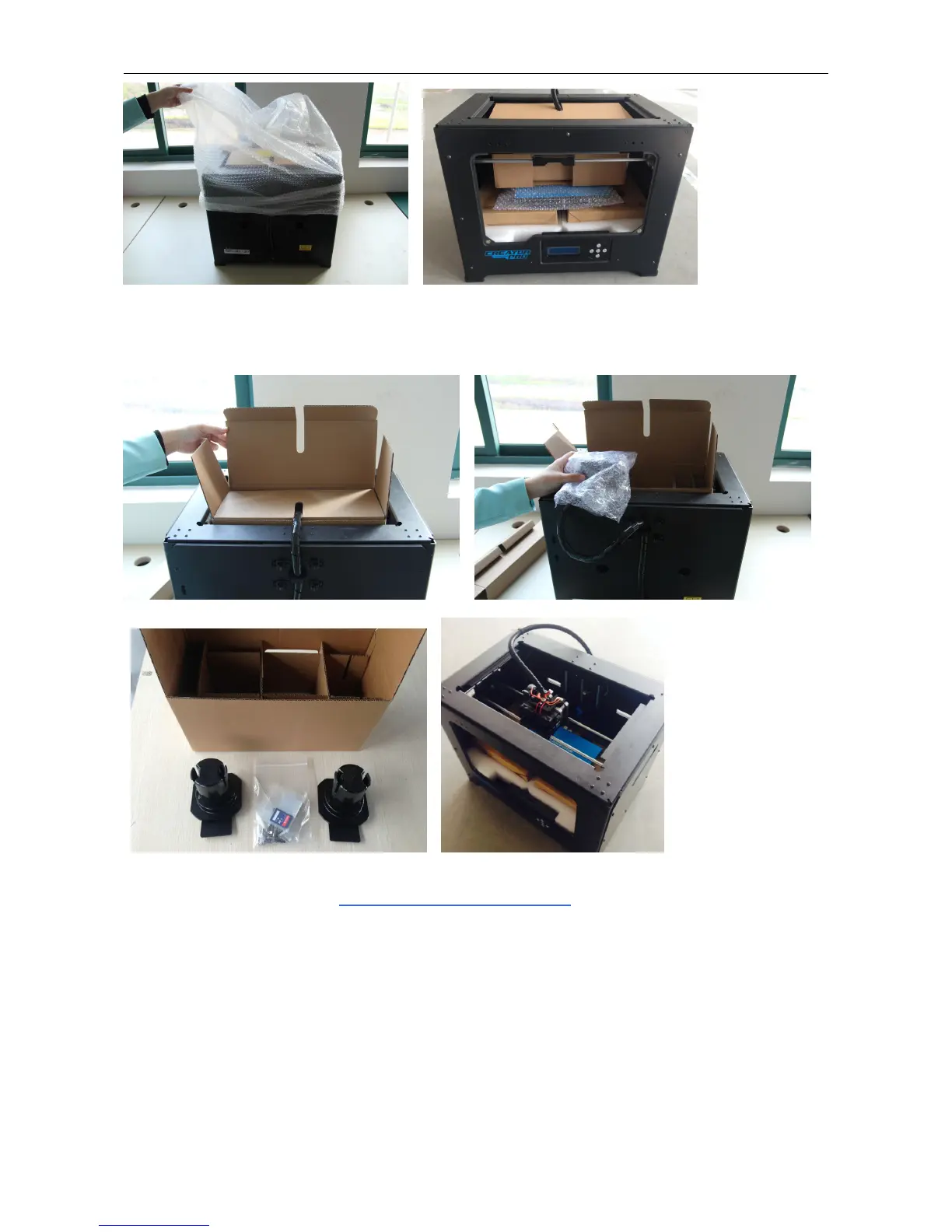
Now, open the accessory box and remove the accessory sleeve. You will find the dual extruder heads in the protective
packaging along with the black cable, carefully remove it and place it on your work surface. Remove the cardboard
packing material and take the accessory box from the printer, set it aside for later.
The build platform should now be visible. It is an aluminum plate covered in a thin polyamide film. This is the surface
that your objects will be printed on. Note: Remember not remove the film.
The next step is to raise the build platform; there are two ways to do this:
1. Turn the screw which is behind the rotating platform.
2. Grasp the printing platform with one hand on each side, raising it slowly and keeping it level.
Stop once the platform is just shy of the bronze nozzle.
Now you can see two rolls filaments we offer for free, you can get them easily after removeing the rest packaging.















 To Next Page