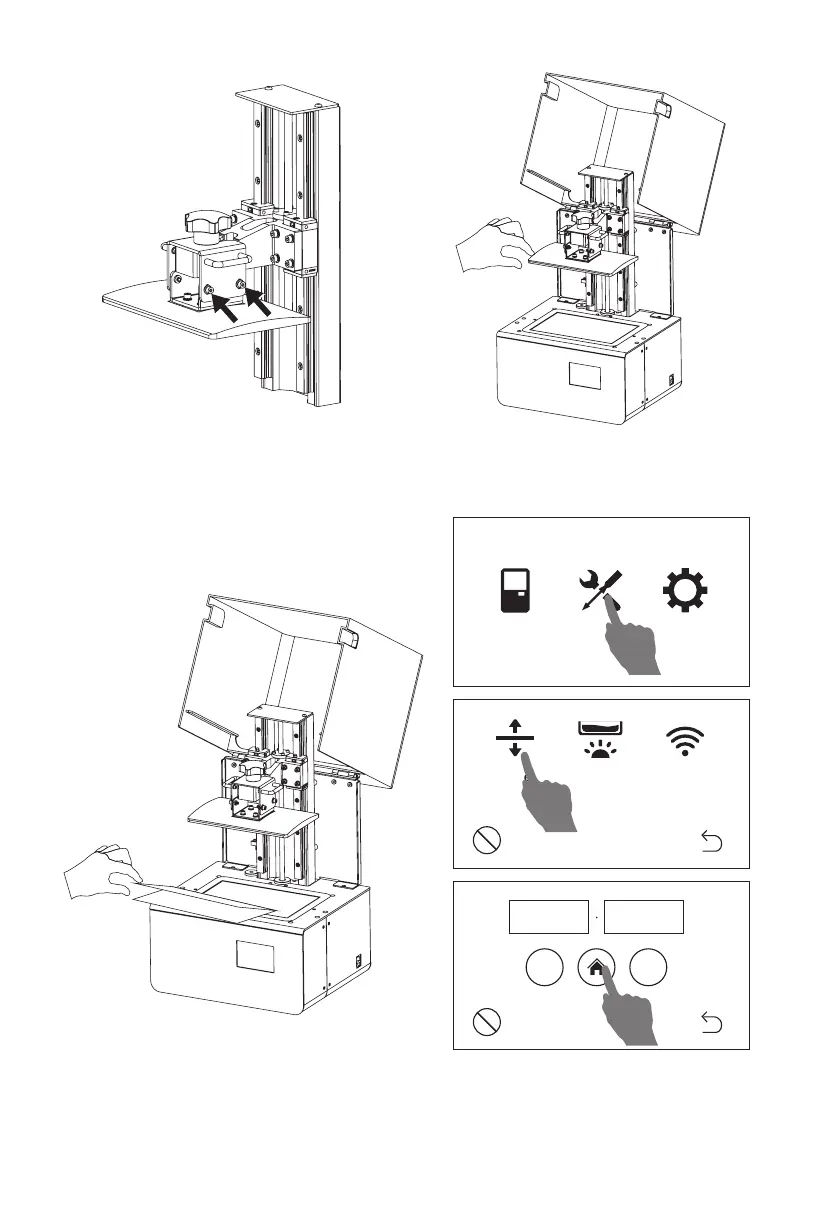
6. Remove resin box. Put a piece of A4
paper folded in half on the 8.9’ LCD
screen.
7. Click [Tool] - [Manual] and open a new
window. Click [Home] and wait for stop
movement of Z-axis.
06
Print Tool System
4. To loose the screws on both sides of
the build plate by using an inner
hex wrench.
5. Make sure it can move free but
not to fall.
Move Residue WLAN
Stop
Stop
Z:
-
+
mm22 00















 To Next Page