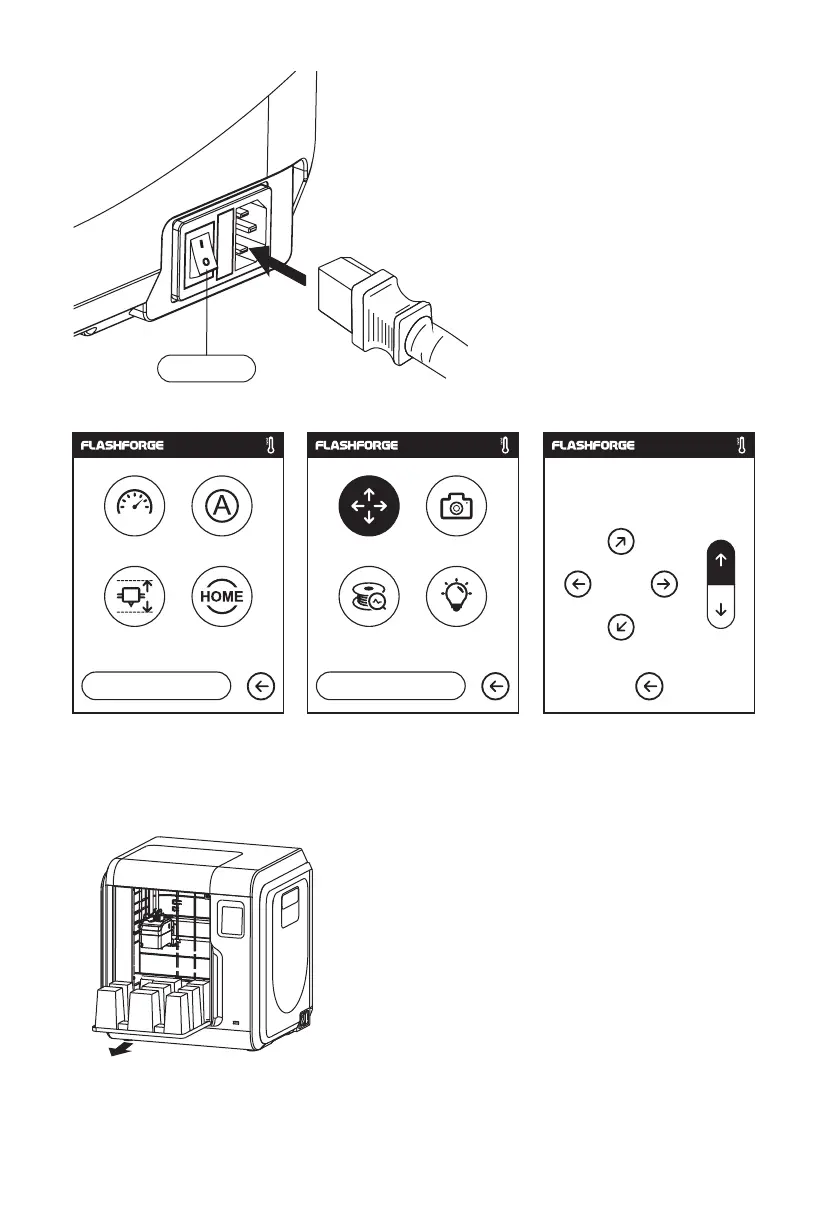
7. Open the front door, take out the paper box inside
the printer, printer unpacking completed.
6. Click [tools]-[setting] in turn to enter page like this, turn to page two, click [move].
Click the upper arrow in the moving page to make the extruder raises for removing the
paper box on the bottom easier.
04
Power Switch
5. Plug the power cable into the input on the
back and turn on the power switch, the touch
screen is turned on.
X
Y
Z
X: 20.00 Y: 45.00 Z: 36.00
Status
Language
Calibration Home
Move Camera
FilamentCheck Led
1/3
<
<<
2/3
<















 To Next Page