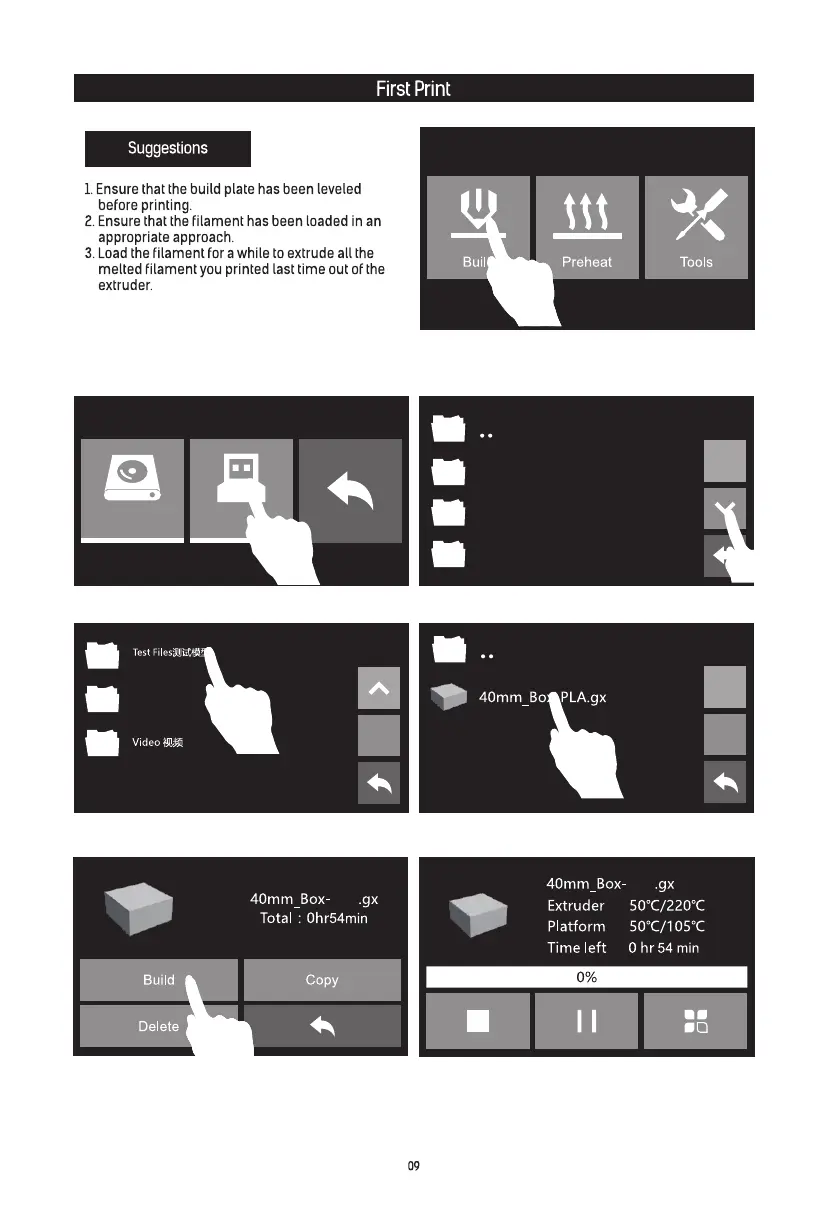
1. Please insert the USB stick into USB stick
input on the right side of the printer. Tap [Build].
2. Tap [USB Stick].
4. Tap [Test Files].
6. Tap [Build]. 7. The printer starts to heat and it prints
automatically after heating completed.
5. Tap [Test Files].
3. Turn to next page.
4. Do not leave the Guider IIs unattended during
operation.
Happy3D Software Installation Package 软
件安装包
Quick Start Guide快启
flashprint切片软件
User Guide说明书
PLA
PLA















 To Next Page