Press here
Filament intake
Done
Extruder
Extruder
Load Unload
Unload started, press down on the
spring lever and withdraw filament
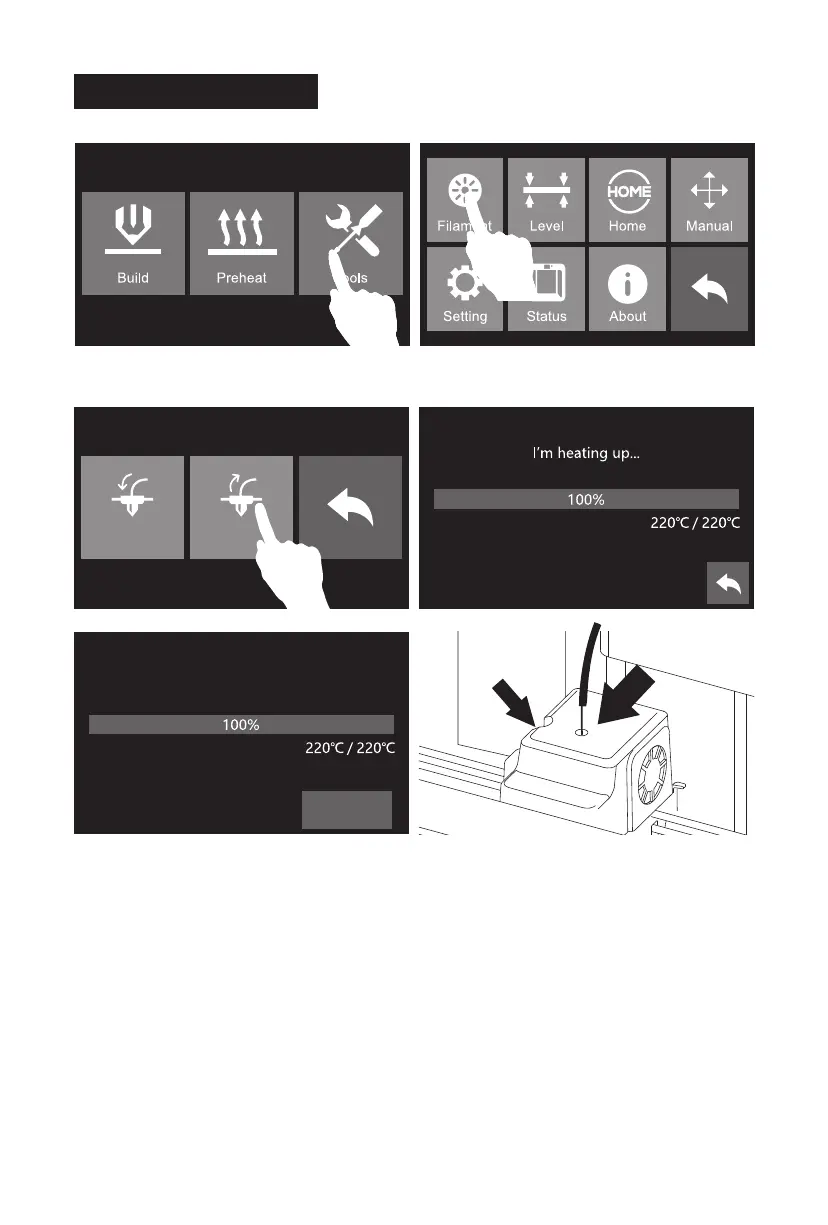
1. Tap [Tools].
3. Tap [Unload], extruder starts to heat. When heating to target temperature, press spring presser
and withdraw filament vertically after compressing filament for 3 seconds.
Please follow steps below if you need to unload filament in
daily use.
2. Tap [Filament].
Unloading Filament
10















 To Next Page