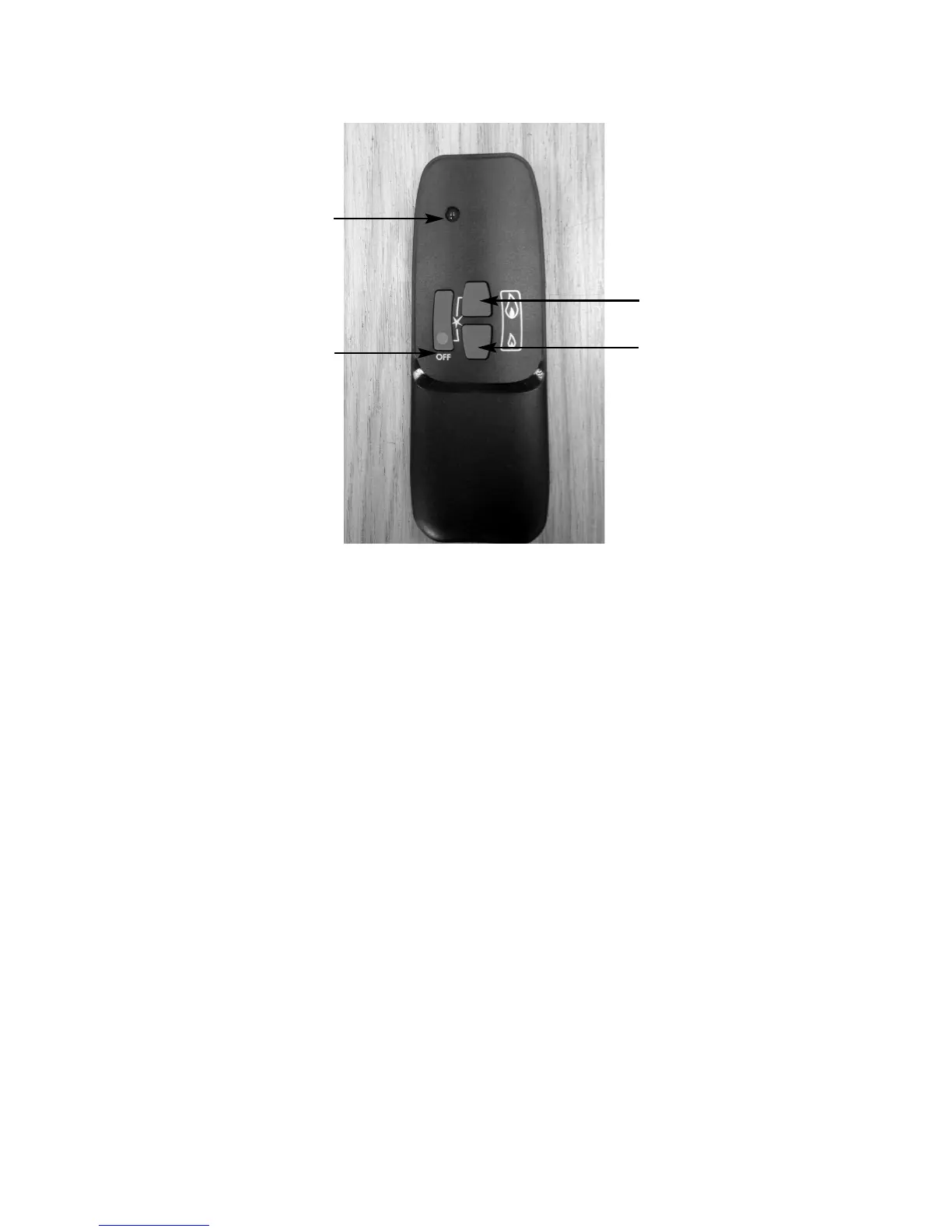
Fig. 22
3.3.7 To reduce the heat input, press the “DOWN / STANDBY” button until the
flame reduces to the low rate heat input setting. “DOWN” arrow on the
handset. To reduce the flame height of the main burner incrementally,
press the arrow momentarily. To reduce the heat input directly down to
the minimum level, press the “SMALL” flame arrow on the handset
twice. If you wish to turn off the fire altogether, press the “STAR” /
“OFF” button.
AFTER THE PILOT FLAME HAS BEEN EXTINGUISHED, IF YOU
WISH TO RE-LIGHT THE APPLIANCE YOU MUST WAIT AT LEAST
THREE MINUTES BEFORE TRYING TO RE-LIGHT THE FIRE.
3.3.8 Should the handset be misplaced, you can turn the fire off by switching
the “ON / OFF” switch to the “OFF” position.
25
“STAR” / “OFF” button
“UP” button
“DOWN” / “STANDBY”
button
“
LED” handset light



 To Next Page