Printed in U.S.A.
Page 17
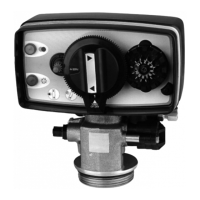
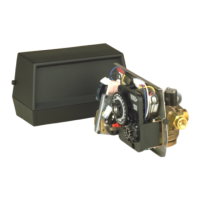
MODEL 3200 TIMER
Timer Setting Procedure
How To Set Days On Which Water Conditioner
Is To Regenerate:
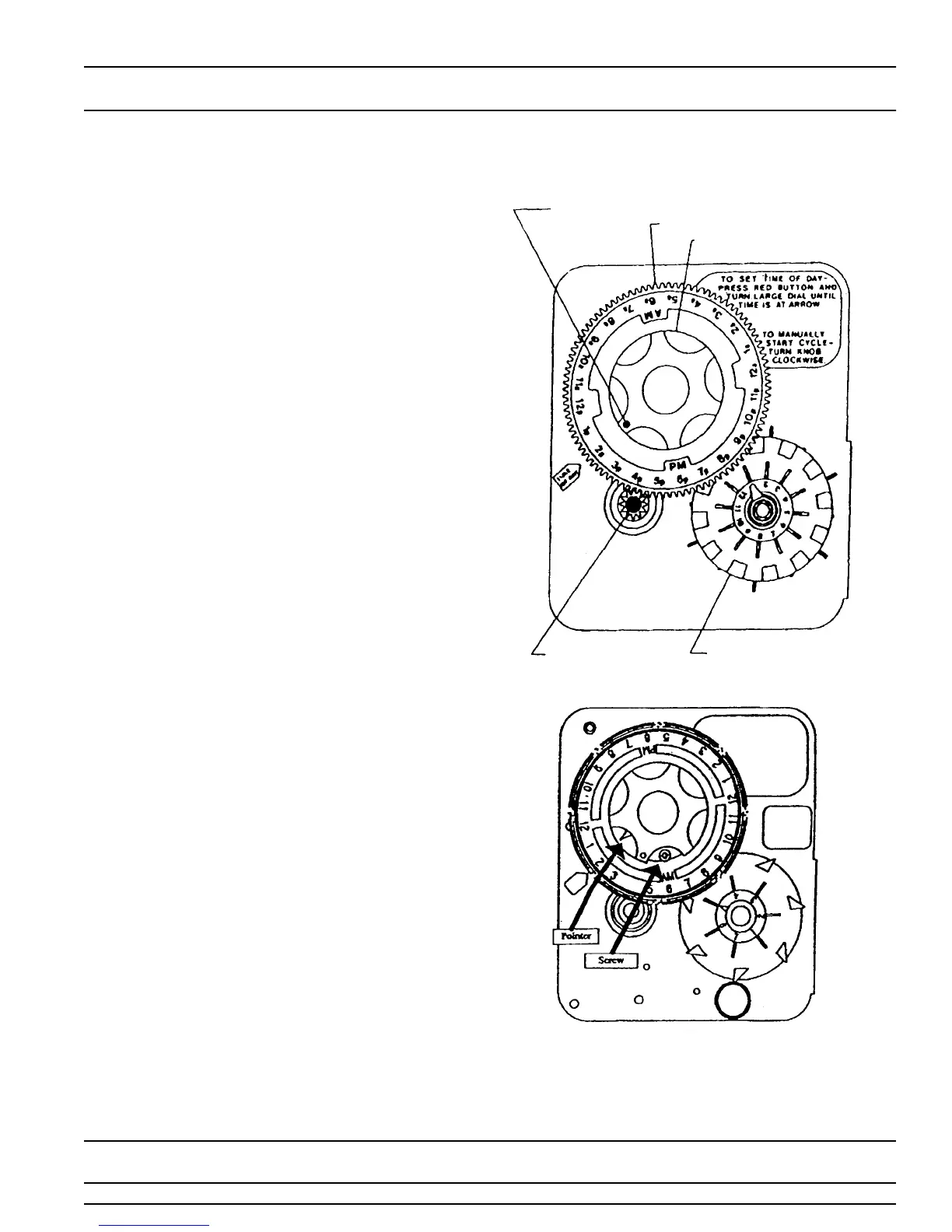
Rotate the skipper wheel until the number “1” is at the red
pointer. Set the days that regeneration is to occur by slid-
ing tabs on the skipper wheel outward to expose trip fin-
gers. Each tab is one day. Finger at red pointer is tonight.
Moving clockwise from the red pointer, extend or retract
fingers to obtain the desired regeneration schedule.
How To Set The Time of Day:
Press and hold the red button in to disengage the drive
gear.
Turn the large gear until the actual time of day is at the
time of day pointer.
Release the red button to again engage the drive gear.
How To Manually Regenerate Your Water Conditioner
At Any Time:
Turn the manual regeneration knob clockwise.
This slight movement of the manual regeneration knob
engages the program wheel and starts the regeneration
program.
The black center knob will make one revolution in the fol-
lowing approximately three hours and stop in the position
shown in the drawing.
Even thought it takes three hours for this center knob to
complete one revolution, the regeneration cycle of your
unit might be set only one half of this time.
In any event, conditioned water may be drawn after rinse
water stops flowing from the water conditioner drain line.
How to Adjust Regeneration Time:
1. Disconnect the power source.
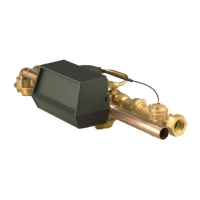
2. Locate the three screws behind the manual
regeneration knob by pushing the red button in and
rotating the 24 hour dial until each screw appears in
the cut out portion of the manual regeneration knob.
3. Loosen each screw slightly to release the pressure on
the time plate from the 24 hour gear.
4. Locate the regeneration time pointer on the inside of
the 24 hour dial in the cut out.
5. Turn the time plate so the desired regeneration time
aligns next to the raised arrow.
6. Push the red button in and rotate the 24 hour dial.
Tighten each of the three screws.
7. Push the red button and locate the pointer one more
time to ensure the desired regeneration time is
correct.
8. Reset the time of day and restore power to the unit.
IMPORTANT!
SALT LEVEL MUST ALWAYS BE ABOVE WATER
LEVEL IN BRINE TANK.
24 HR. GEAR
MANUAL REGENERATION
KNOB
SERVICE
POSITION
INDICATOR
SKIPPER WHEEL, 12 DAY
(SHOWS EVERY OTHER
DAY REGENERATION)
RED TIME
SET BUTTON
3200 ADJUSTABLE REGENERATION TIMER


 To Next Page