7700 SXT
25
E
N
G
L
I
S
H
5 -
PROGRAMMING
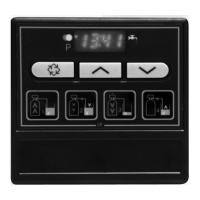
1. Press once the button to
go from one display mode to
another.
2. Set parameters values by
using the and buttons.
3. Depending on the
programmation, some
displays will not appear and
some will not be variable.
4. Bold characters default
setting.
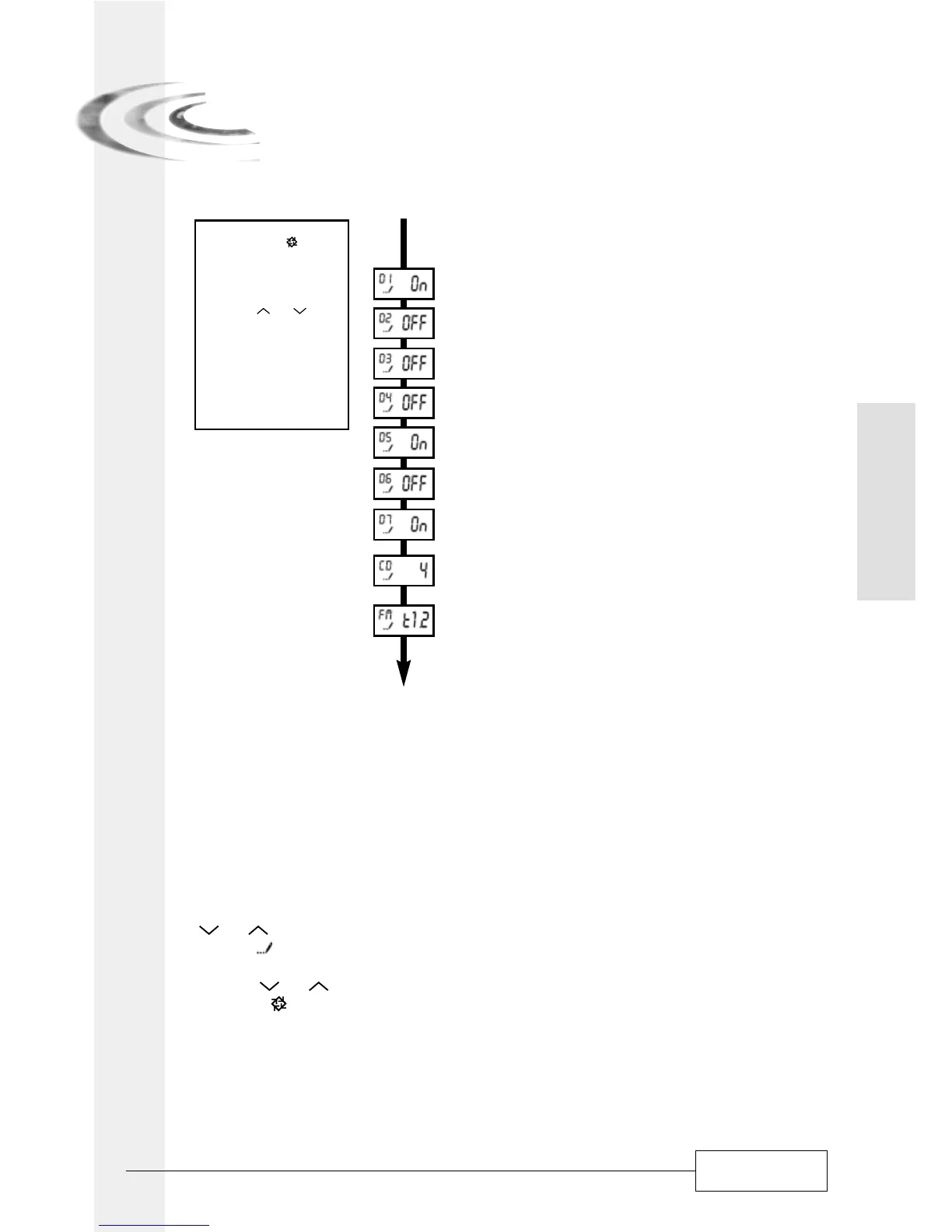
10. Define the regeneration days of the week
Viewed in 7 day time clock mode
10.1 - Regeneration on Monday
10.2 - No regeneration on Tuesday
10.3 - No regeneration on Wednesday
10.4 - No regeneration on Thursday
10.5 - Regeneration on Friday
10.6 - No regeneration on Saturday
10.7 - Regeneration on Sunday
10.8 - Day of the week to be indexed
i.e.: Thursday
11. Meter type
i.e.: - 7700 [ t 1 . 2 ]
Return in service mode
ENTER MASTER PROGRAMMATION MODE
Set time date on to 12:01, exit time of day programmation mode, and press simultaneously on the
and buttons for 5 seconds.
The icon will appear to show that the valve is in programmation mode. Each programmation
step can be modified.
- Use the and in order to adjust setting values.
- Press the button to advance to the next programmation stage.
Display unit (DF)
This parameter is identified by the letters DF. There are 3 possible settings:
- Gallon [GAL]: the measure unit is in gallons, time display is 2x12 hours, hardness in grain.
- Litre [Ltr]: the measure unit is litre, time display is 24 hours, hardness in m
3
x°Th.
- Cubic meter [Cu]: the format used is the cubic meter, the time format is 24 hours, hardness is
in m
3
x °tH.
5.1
5.1.1


 To Next Page