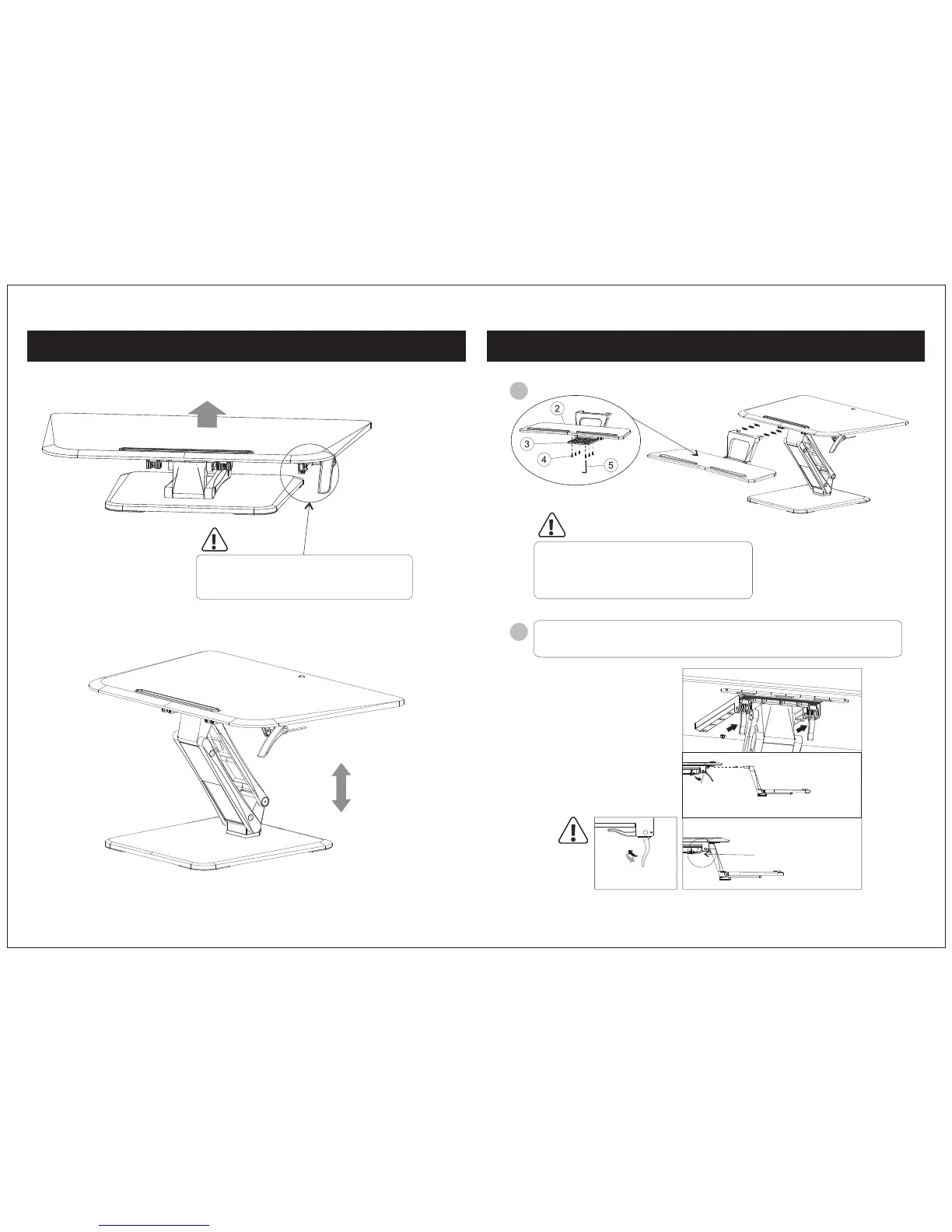
Step 2: Unlock the handle to release the main body part
04 05
Step 3: Connect the Keyboard Tray
Unlock the handle to release the main body part.
Caution: Be careful when unlocking the handle
because the surface will bounce up.
1
2
Unlock
Lock
Connect the keyboard tray (2) to the desktop plate.
Note: The keyboard tray can be added or removed
depending on your preference. It is not required for
proper functioning of the unit.
Unlock the handle grips on both sides then attach the keyboard tray as shown in the
diagram. Lock the handles down to finish assembly.


 To Next Page