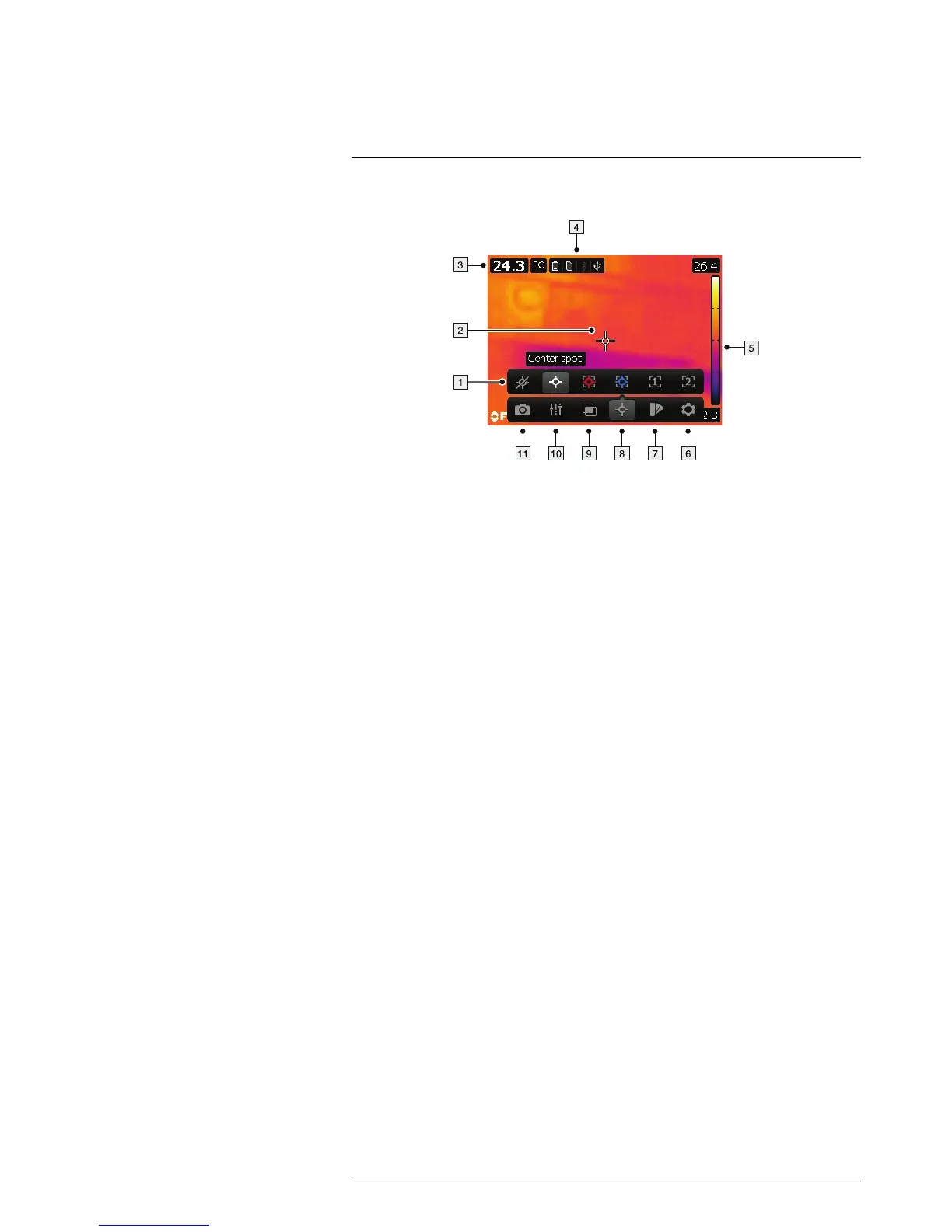
9.2 Explanation
1. Measurement toolbar.
2. Measurement tool (e.g., spotmeter).
3. Result table.
4. Status icons.
5. Temperature scale.
6. Settings toolbar button.
7. Color toolbar button.
8. Measurement toolbar button.
9. Image mode toolbar button.
10. Measurement parameters toolbar button.
11. Recording mode toolbar button.



 To Next Page