(Edit) from the menu.
3. Manual image adjust mode is now active, and the status icon
is displayed. For
image adjustment instructions, see 14.5 Adjusting an infrared image, page 35.
4. Push the joystick. This displays a context menu.
• Select
(Cancel) to exit edit mode.
• Select
(Measurement parameters) to change the global parameters.
• Select
(Image mode) to change the image mode.
• Select
(Measurement) to add a measurement tool.
• Select
(Color) to change the color palette or set a color alarm.
• Select
(Save) to save and exit edit mode.
14.5 Adjusting an infrared image
14.5.1 General
An infrared image can be adjusted automatically or manually. When manual image adjust
mode is active, the status icon
is displayed.
• In live mode, push the button
to switch between automatic and manual image adjust
modes. You can also switch between the modes by touching the temperature scale
on the screen.
• In preview/edit mode, manual image adjust mode is active.
14.5.2 Example 1
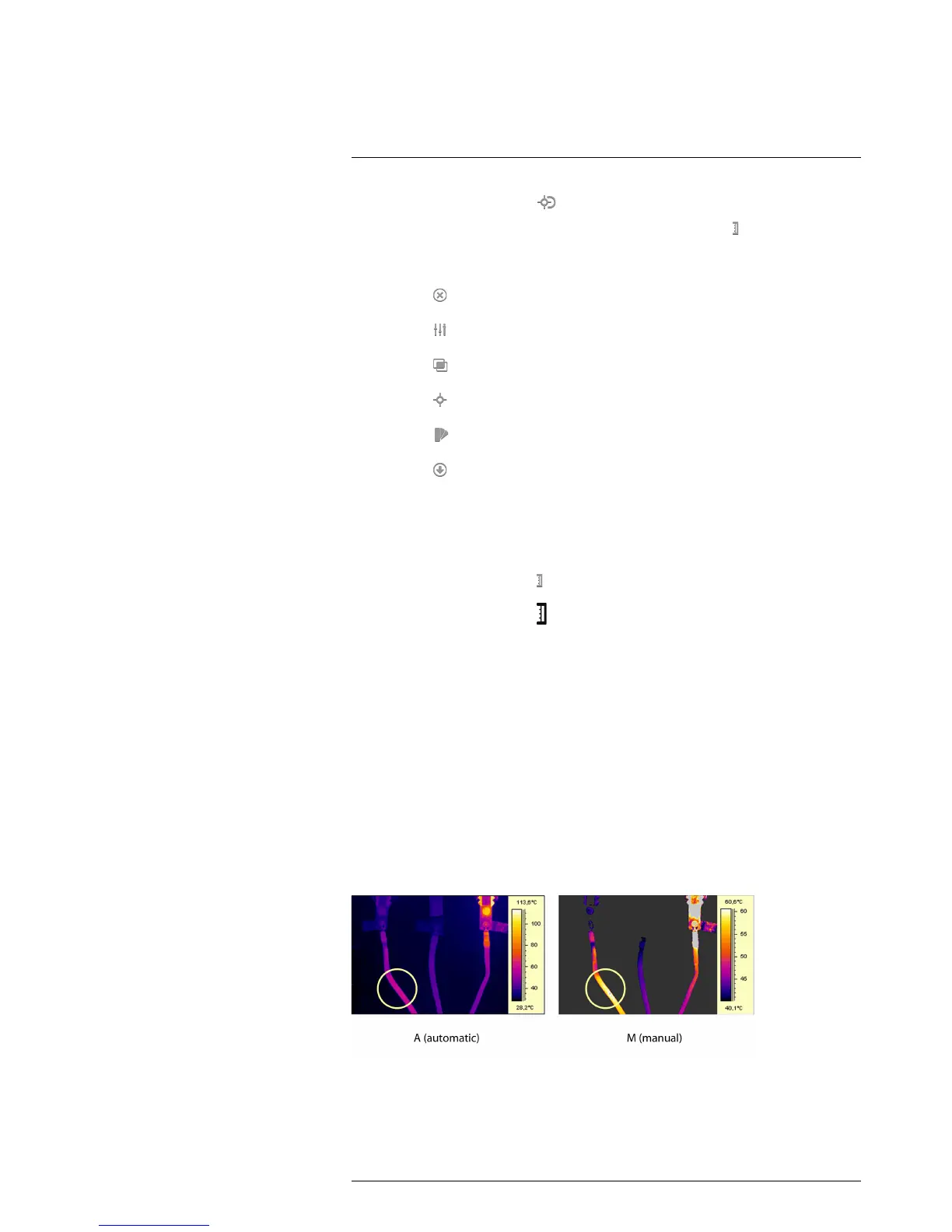
This figure shows two infrared images of cable connection points. The left image has
been auto-adjusted, which makes a correct analysis of the circled cable difficult. You can
analyze this cable in more detail if you:
• Change the temperature scale maximum limit.
• Change the temperature scale minimum limit.
• Change the temperature scale maximum and minimum limits.
In the right image, the maximum and minimum temperature levels have been changed to
temperature levels near the object. On the temperature scale to the right of each image
you can see how the temperature levels were changed.
14.5.3 Example 2
This figure shows two infrared images of an isolator in a power line.
In the left image, the cold sky and the power line structure are recorded at a minimum
temperature of –26.0°C (–14.8°F). In the right image, the maximum and minimum



 To Next Page