EasyManua.ls Logo

FLIR T460 - Removing an Additional Infrared Lens; Procedure

FLIR T460
176 pages
Print Icon
To Next Page IconTo Next Page
To Previous Page IconTo Previous Page
Loading...
Handling the camera13
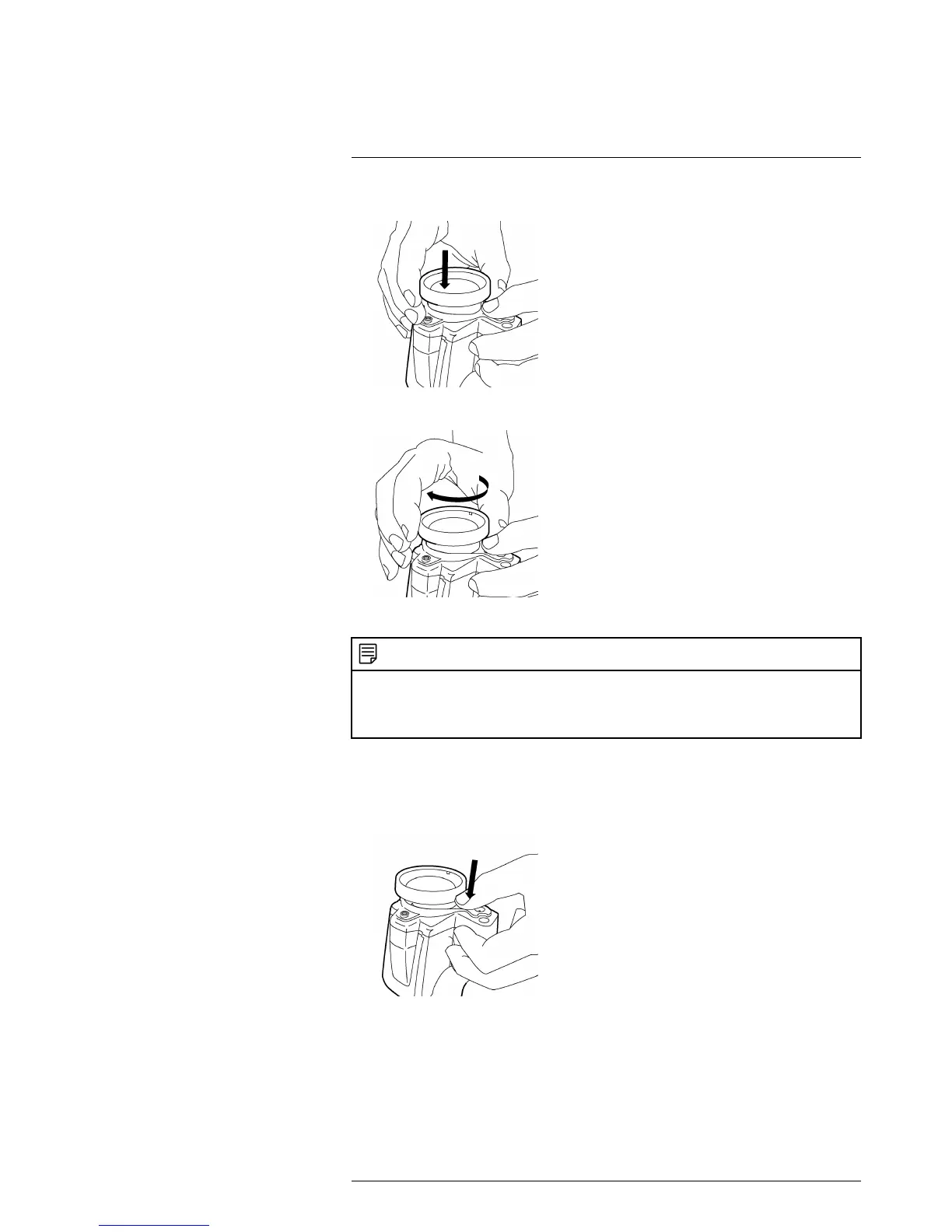
5. Carefully push the lens into position.
6. Rotate the lens 30° clockwise (looking at the front of the lens).
13.8 Removing an additional infrared lens
NOTE
Do not touch the lens surface when you mount an infrared lens. If this happens, clean the lens accord-
ing to the instructions in 28.2 Infrared lens, page 121.
When you have removed the lens, put the lens caps on the lens immediately, to protect it from dust and
fingerprints.

13.8.1 Procedure
Follow this procedure:
1. Push the lens release button to unlock the lens.
#T559879; r. AH/23788/24627; en-US
27

Table of Contents

Related product manuals