Working with measurement tools16
16.7 Creating and setting up a difference calculation
16.7.1 General
A difference calculation gives the difference between the values of two known measure-
ment results.
16.7.2 Procedure
NOTE
• You can set up a difference calculation when defining user presets, or when editing an image in the
archive.
• This procedure assumes that you have previously laid out at least two measurement tools on the
screen.
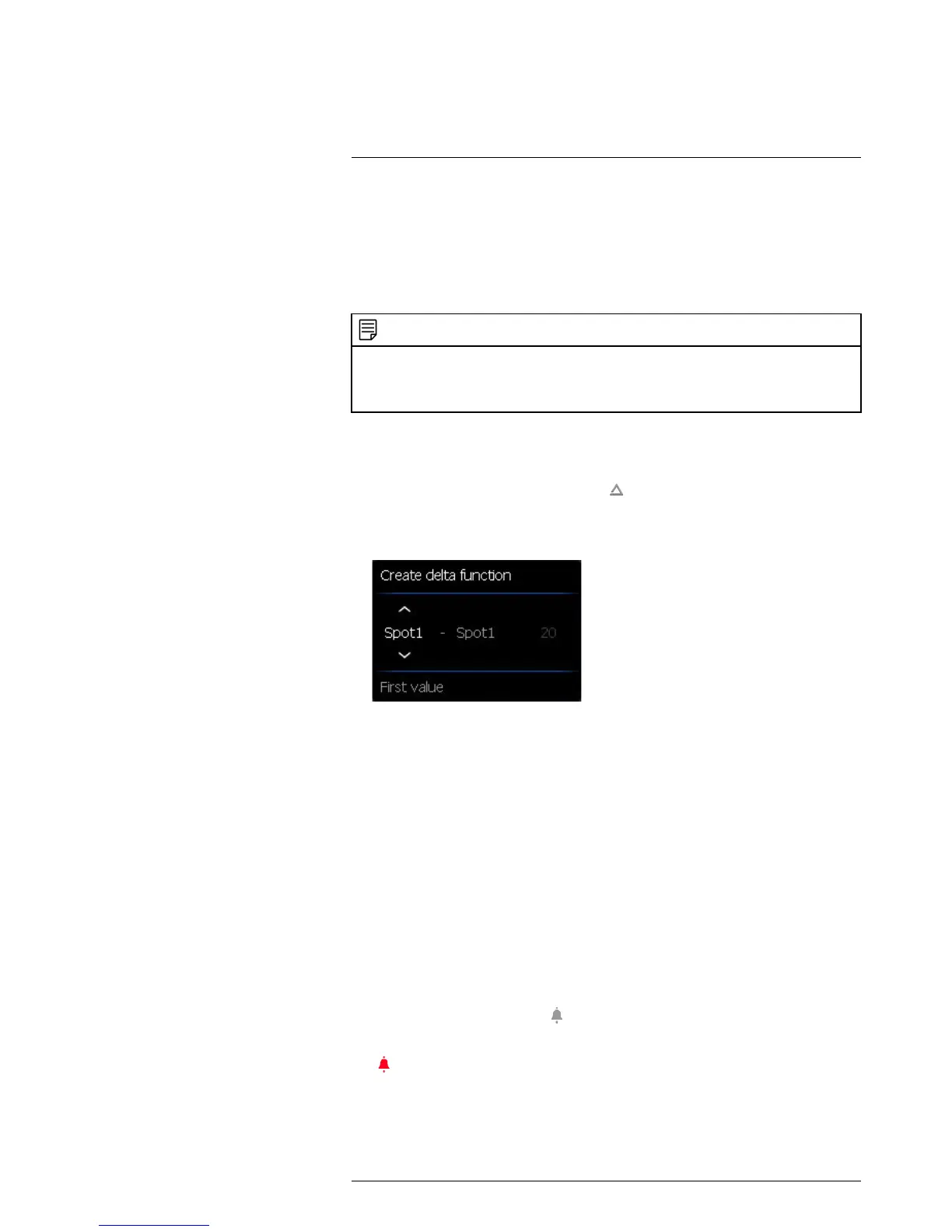
(Add delta).
2. Push the joystick. This displays a dialog box where you can select the measurement
tools that you want to use in the difference calculation. You can also select a fixed-
temperature reference.
3. Push the joystick. The result of the difference calculation is now displayed on the
screen.
16.8 Setting a measurement alarm
16.8.1 General
You can make the camera trigger an alarm when certain measurement conditions are
met.
16.8.2 Types of alarm
You can choose between the following alarm types:
• Above: Triggers an alarm when the temperature is above the preset alarm
temperature.
• Below: Triggers an alarm when the temperature is below the preset alarm
temperature.
16.8.3 Alarm signals
When an alarm is set, the symbol
is displayed in the result table.
When an alarm is triggered, the value in the result table is displayed in red and the sym-
bol
is blinking.
You can also set an audible alarm (there will be a ‘beep’ when the alarm is triggered).



 To Next Page