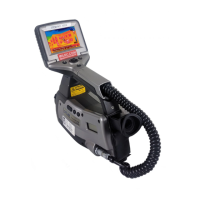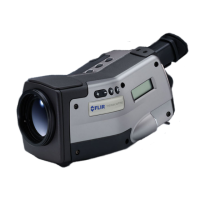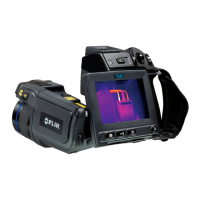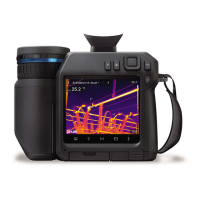
EasyManua.ls Logo

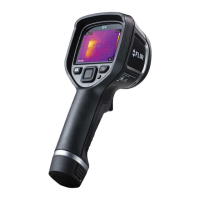
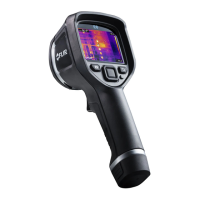
FLIR ThermaCAM EX300 - User Manual

FLIR ThermaCAM EX300
164 pages
Print Icon
To Next Page IconTo Next Page
Loading...
nual – Benutzerhandbuch Manual del usuarioManuel de l’utilisateur – Manuale dell’utente – Manual do utilizador – Felhasználói kézikönyv – Käyttäjän opas – Betjenings-
dning – Brukerveiledning – Instrukcja obsługi – Bruksanvisning – Kullanım Kılavuzu – Uživatelská příručka – Gebruikershandleiding
Users manual – Benutzerhandbuch Manual del usuarioManuel de l’utilisateur – Manuale dell’utente – Manual do utilizador – Felhas-
ználói kézikönyv – Käyttäjän opas –
Betjeningsvejledning – Brukerveiledning – Instrukcja obsługi – Bruksanvisning – Kullanım
Kılavuzu – Uživatelská příručka –
Gebruikershandleiding
ThermaCAM™ EX300
Users manual
1558439Publ. No.
a156Revision
English (EN)Language
February 28, 2006Issue date

Table of Contents

Questions and Answers

  • B
    Brent MartinezAug 14, 2025
    Why does the LCD on my FLIR Thermographic Camera display no image?
    • J
      John RobertsonAug 14, 2025
      If the LCD on your FLIR Thermographic Camera displays no image, it could be due to several reasons. First, the camera or LCD might have been switched off automatically in the settings; try pressing the PWR/NO button to switch it on. Ensure a fully charged battery is inserted, or charge the existing one if depleted. If using a power supply, verify that the connector is properly inserted into the camera and that the mains plug and cable are correctly connected to the power supply and outlet.
  • L
    Lee KimAug 17, 2025
    How to fix a blurry image on my FLIR Thermographic Cameras LCD?
    • M
      Michael Butler Jr.Aug 17, 2025
      If the image on your FLIR Thermographic Camera's LCD is blurry, the target may be out of focus. Try focusing the camera by rotating the focus ring on the lens.
  • D
    Dr. Shawna Powers MDAug 20, 2025
    How to improve image quality on FLIR Thermographic Cameras?
    • A
      Andrew LongAug 20, 2025
      If the image on your FLIR Thermographic Camera's LCD is of poor quality, there are several adjustments you can make. Try changing the level and span. You might also want to carry out an autoadjust maneuver. If your camera has multiple ranges and the target is hotter or colder than your current range, switch ranges. Additionally, experimenting with different palettes might improve the image.
  • C
    Cassie ChandlerAug 25, 2025
    What to do if the trigger button on my FLIR ThermaCAM EX300 does not work as expected?
    • T
      tdawsonAug 25, 2025
      If your FLIR Thermographic Camera's trigger button isn't working as expected, it's possible its function was accidentally changed. Try changing the function of the trigger button.
  • C
    Carlos CochranAug 27, 2025
    How to increase the contrast on my FLIR ThermaCAM EX300 Thermographic Cameras LCD display?
    • I
      Isaiah MillerAug 27, 2025
      If the LCD on your FLIR Thermographic Camera displays an image with low contrast, the LCD contrast might be set too low. Try adjusting the LCD contrast.
  • B
    Brittany WilliamsAug 30, 2025
    What to do if the trigger button on my FLIR ThermaCAM EX300 Thermographic Cameras does not work at all?
    • B
      brianmcmillanAug 30, 2025
      If the trigger button on your FLIR Thermographic Camera isn't working at all, it may have been accidentally disabled. Try enabling the trigger button.
  • C
    Charles PalmerSep 3, 2025
    Why is there no image on the external video monitor when connecting my FLIR Thermographic Cameras?
    • N
      Nicole WilsonSep 3, 2025
      If your FLIR Thermographic Camera is connected to an external video monitor but no image appears, check the video cable connections at both ends: the camera and the monitor. Make sure they are properly inserted. Also, verify that the camera and the monitor are set to the same video format (PAL or NTSC); if they differ, change the video format on the camera to match the monitor.
  • F
    foleylisaSep 6, 2025
    How to set the correct date and time on my FLIR Thermographic Cameras?
    • K
      Kayla HessSep 6, 2025
      If the LCD on your FLIR Thermographic Camera does not display the correct date and time, it may have been accidentally set to the wrong date and time. Try changing the date and time in the settings.
  • J
    jwatersSep 10, 2025
    What to do if my FLIR Thermographic Cameras cannot store any more images?
    • P
      Perry WhiteSep 10, 2025
      To store more images on your FLIR Thermographic Camera, download the images to your computer using ThermaCAM™QuickView, this will free up space.

Summary

Warnings and Cautions

Getting Started

Packing List

Details of items included in the ThermaCAM™ EX300 package.

System Overview and Connections

Illustration of the camera system and guide to connecting components.

Camera Operation and Features

Tutorials

Step-by-step guides for powering on/off, working with images, and measurements.

Camera Program and Menu System

Guide to the camera's software interface, menus, and settings.

Camera Overview

Identification of camera parts, buttons, and indicators.

Thermographic Inspections of Electrical Installations

Introduction and General Information

Overview of thermography, inspection process, and general information.

Measurement Techniques

Techniques for accurate measurement, hot spot identification, and disturbance factors.

Practical Advice

Practical tips for inspections, emissivity, and reflected temperature compensation.

Technical Information and Theory

Electrical Power System

Details about the camera's power sources and charging.

Maintenance, Troubleshooting & Specs

Guidelines for care, problem-solving, and detailed technical specifications.

Theory of Thermography

Theoretical principles of infrared radiation, blackbody, and thermography.

Emissivity Tables

Compilation of emissivity data for various materials.

FLIR ThermaCAM EX300 Specifications

General IconGeneral
BrandFLIR
ModelThermaCAM EX300
CategoryThermographic Cameras
LanguageEnglish

Related product manuals