EasyManua.ls Logo

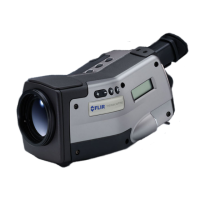
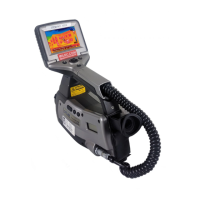
FLIR ThermaCAM P65 - User Manual

FLIR ThermaCAM P65
246 pages
Print Icon
To Next Page IconTo Next Page
Loading...
nual – Benutzerhandbuch Manual del usuarioManuel de l’utilisateur – Manuale dell’utente – Manual do utilizador – Felhasználói kézikönyv – Käyttäjän opas – Betjenings-
dning – Brukerveiledning – Instrukcja obsługi – Bruksanvisning – Kullanım Kılavuzu – Uživatelská příručka – Gebruikershandleiding
User’s manual – Benutzerhandbuch Manual del usuarioManuel de l’utilisateur – Manuale dell’utente – Manual do utilizador – Felhas-
ználói kézikönyv – Käyttäjän opas –
Betjeningsvejledning – Brukerveiledning – Instrukcja obsługi – Bruksanvisning – Kullanım
Kılavuzu – Uživatelská příručka –
Gebruikershandleiding
ThermaCAM™ P65
Users manual
1557954Publ. No.
a155Revision
English (EN)Language
February 7, 2006Issue date

Table of Contents

Questions and Answers

  • B
    Bailey GarciaAug 13, 2025
    What to do if FLIR Thermographic Cameras show no image on LCD/viewfinder?
    • S
      Stephanie StewartAug 13, 2025
      If the LCD on the remote control, or the viewfinder, displays no image at all, here are some possible solutions: * The camera or LCD may have been switched off automatically. Press the ON/OFF button to switch on the camera. * The remote control cable connector may not be properly inserted. Verify that it is properly inserted into the camera's remote control connector. * There might be no battery or a depleted battery in the battery compartment. Insert a fully charged battery or charge the existing one. * If using a power supply, ensure the power supply connector and mains plug are properly inserted into the camera and a mains supply, respectively. Also, check that the mains cable is properly plugged into the power supply.
  • M
    miranda94Aug 17, 2025
    Why is the image on my FLIR ThermaCAM P65 LCD/viewfinder of poor quality?
    • T
      Tom SweeneyAug 17, 2025
      If the LCD/viewfinder displays an image, but it is of poor quality, consider the following: * The level or span may need adjustment. Change the level and span. * The camera may need to be autoadjusted. Autoadjust the camera. * The target's temperature may be outside the current range. Change the range. * The current palette may not be suitable. Change the palette to a more appropriate one.
  • A
    Adam BrownAug 21, 2025
    How to fix blurry infrared image on FLIR Thermographic Cameras LCD/viewfinder?
    • G
      Gregory BookerAug 21, 2025
      If the LCD/viewfinder displays a blurry infrared image, the target may be out of focus. Focus the camera by pressing and holding down the A button for a few seconds. Alternatively, the ocular diopter adjustment of the viewfinder may be incorrect. Adjust it by rotating the adjustment knob on the bottom side of the viewfinder.
  • F
    Frank BenderAug 25, 2025
    Why is the visual image blurry on my FLIR Thermographic Cameras LCD/viewfinder?
    • S
      Steven BurnettAug 25, 2025
      If the LCD/viewfinder displays a blurry visual image, the target may be out of focus. Focus the visual camera by rotating the focus ring on the visual camera.
  • U
    umartinAug 28, 2025
    What to do if FLIR ThermaCAM P65 Thermographic Cameras won't store images?
    • E
      eric04Aug 28, 2025
      If it is not possible to store any more images in the camera, it might be because the internal flash memory or the CompactFlash card is full. To save more images, download the existing ones to your computer using ThermaCAM™QuickView or replace the CompactFlash card with an empty one.
  • E
    Elizabeth NelsonSep 1, 2025
    Why is there no image when connecting FLIR ThermaCAM P65 to an external video monitor?
    • D
      Dana MartinSep 1, 2025
      If no image appears when connecting the infrared camera to an external video monitor, verify that the video cable connector is properly inserted into both the camera and the external monitor. Also, the camera may have been set to the wrong video format (PAL or NTSC). Change the video format accordingly.
  • D
    Dennis SinghSep 4, 2025
    How to fix low illumination on FLIR ThermaCAM P65 Thermographic Cameras LCD/viewfinder?
    • D
      Diane GreeneSep 5, 2025
      If the LCD/viewfinder displays an image with low illumination, the illumination of the LCD may have been set too low. Change the illumination of the LCD.
  • R
    rachel71Sep 8, 2025
    How to set correct date and time on FLIR ThermaCAM P65 Thermographic Cameras?
    • C
      christycolemanSep 8, 2025
      If the LCD/viewfinder does not display the correct date & time, the camera may have accidentally been set to the wrong date & time. Change the date & time in the camera's settings.

Summary

Warnings and Cautions

Packing List

System Overview

Connecting System Components

Introduction to Thermographic Inspections of Electrical Installations

Measurement Technique for Thermographic Inspection of Electrical Installations

Explains measurement techniques and correct equipment setup.

How to Correctly Set the Equipment

Guidance on setting up the camera for accurate thermal imaging.

Temperature Measurement

Details on how cameras find and display the highest temperature in an image.

Comparative Measurement

Describes comparing phases for temperature differences in installations.

Normal Operating Temperature

Explains operating temperature and excess temperature definitions.

Classification of Faults

Criteria for evaluating faulty connections and recommending corrective actions.

Disturbance Factors at Thermographic Inspection of Electrical Installations

Factors like wind, distance, rain, and snow that can affect measurement results.

Tutorials

Switching On & Switching Off the Camera

Step-by-step instructions for powering the camera on and off.

Working with Images & Folders

Procedures for acquiring, opening, deleting, and navigating images and folders.

Working with Measurements

Guides on using measurement tools like spots, boxes, and lines.

Laying Out & Moving a Spot

How to place and reposition a spot measurement marker.

Laying Out & Moving an Box

How to place and reposition a box measurement marker.

Laying Out & Moving a Circle

How to place and reposition a circle measurement marker.

Laying Out & Moving a Line

How to place and reposition a line measurement marker.

Creating & Changing an Isotherm

Steps for adding and adjusting isotherm measurement features.

Resizing a Measurement Marker

How to change the dimensions of measurement markers.

Moving a Measurement Marker

How to reposition measurement markers on the screen.

Working with Alarms

Instructions for setting up and configuring camera alarms.

Setting the Reference Temperature

Procedure for establishing a reference temperature for alarm triggering.

Setting Up a Silent Alarm

How to configure a silent alarm based on temperature thresholds.

Setting Up an Audible Alarm

How to configure an audible alarm with beep alerts.

Changing Level & Span

How to adjust image brightness (level) and contrast (span).

Changing the Level

Procedure for adjusting the image brightness.

Changing the Span

Procedure for adjusting the image contrast.

Changing System Settings

Guides on modifying language, units, date, and time settings.

Working with the Camera

Instructions for attaching accessories and basic camera operations.

Inserting & Removing the Battery

Instructions for battery installation and removal.

Inserting the Battery

Step-by-step guide to correctly insert the battery.

Removing the Battery

Step-by-step guide to correctly remove the battery.

Removing & Attaching the Remote Control from the Camera Handle

Procedures for detaching and reattaching the remote control.

Removing the Remote Control

Instructions for detaching the remote control unit.

Attaching the Remote Control

Instructions for reattaching the remote control unit.

Camera Overview

Camera Program

Menu System

Overview of menu navigation and control inputs.

Navigating in the Menu System

Instructions on how to navigate through the camera's menu interface.

File Menu

Details on accessing and managing image files within the camera.

Images

Explanation of the Images folder and the types of files displayed.

Voice Comment

Instructions for adding voice comments to images using a headset.

Text Comment

Guidance on annotating images using predefined text strings.

Creating a Text Comment

Steps for creating text annotations directly on the camera.

Creating a Numerical Value to Be Used in a Text Comment

How to input numerical values for text comments.

Analysis Menu

Overview of the analysis menu for measurement tools.

Edit Mode

How to enter edit mode for adjusting measurement markers.

Add Spot

Instructions for adding and configuring spot measurement markers.

Add Box

Instructions for adding and configuring box measurement markers.

Add Circle

Instructions for adding and configuring circle measurement markers.

Add Line

Instructions for adding and configuring line measurement markers.

Add Isotherm

Instructions for adding and configuring isotherm measurement features.

Obj Par

Setting object parameters like emissivity and distance.

Image Menu

Options for switching between visual/IR, freeze/live, and range settings.

Visual;IR

How to switch between visual and infrared imaging modes.

Freeze;Live

How to switch between frozen and live image display.

Range

How to set the temperature measurement range.

Level;Span

Manual adjustment of image brightness (level) and contrast (span).

Manual Adjust; Continuous Adjust

Switching between manual and automatic image adjustment modes.

Palette

How to change the color palette for image display.

Setup Menu

Access to various camera settings and configuration options.

Save

Save setup options for images, including text and voice comments.

Electrical Power System

Maintenance & Cleaning

Troubleshooting

Technical Specifications & Dimensional Drawings

Thermographic Measurement Techniques

Theory of Thermography

The Measurement Formula

Emissivity Tables

FLIR ThermaCAM P65 Specifications

General IconGeneral
BrandFLIR
ModelThermaCAM P65
CategoryThermographic Cameras
LanguageEnglish

Related product manuals