THE SEAL IS A CRITICAL COMPONENT. IF DAMAGED CONTACT
YOUR FLITE AUTHORISED SERVICE PARTNER FOR A REPLACEMENT
PART. NEVER RIDE THE BOARD WITH A DAMAGED SEAL.
THE FLITECELL AND CABLES ARE WATER RESISTANT; HOWEVER,
ALWAYS KEEP FLITECELL, CABLES AND BOARD CAVITY DRY.
WATER, ESPECIALLY SALT WATER, CAN ACCELERATE AGEING AND
CORROSION. IF YOUR BOARD LEAKS, CHECK SEALS, AND CLEAN
COMPONENTS CAREFULLY.
SEE PAGE 32 FOR PAIRING
FLITE CONTROLLER
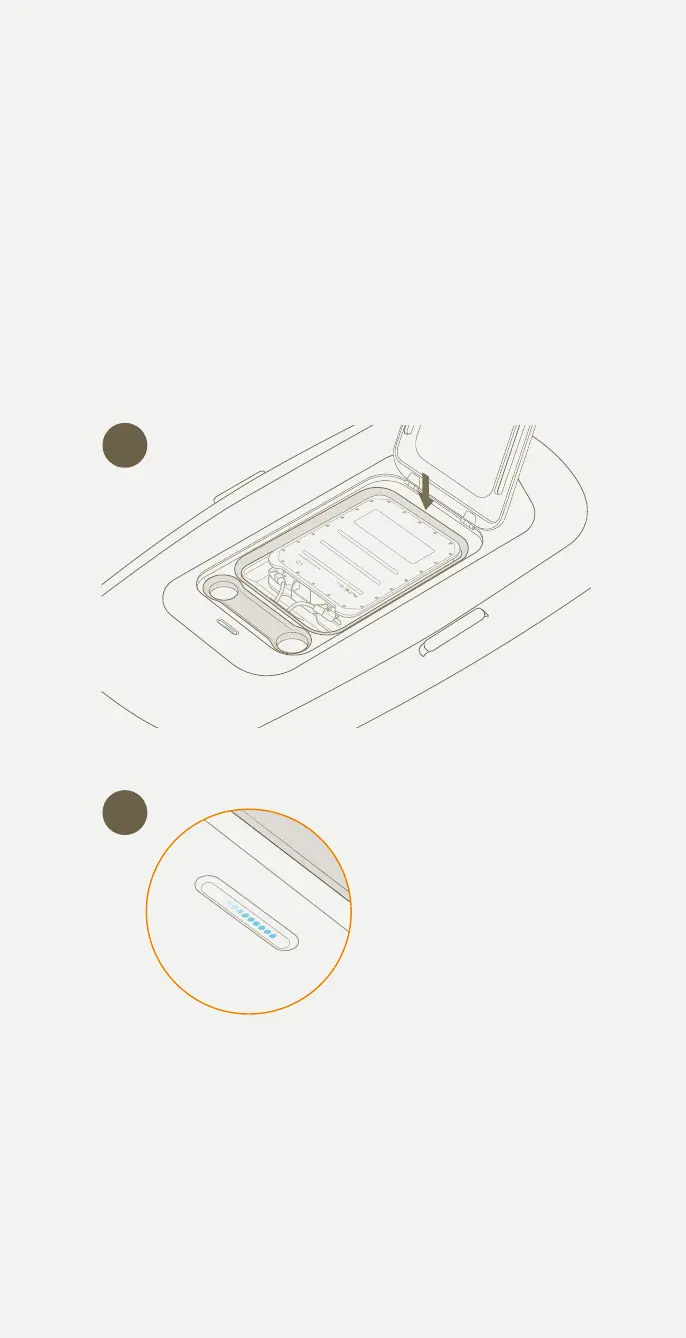
Turning on Flitecell
1 Make certain nothing is caught in the seal. Carefully close the lid.
2 Twist and lock the two lid latches.
3 A few seconds after the lid is shut in position, you will hear a
‘beep beep beep’ which signifies that the Flitecell and board have
automatically turned on.
4 If the external board light is not active, open the lid and ensure the
power cables are properly connected, and there are lights on the
Flitecell indicating it is switched on.
5 Flitecell will automatically turn o 10 seconds after the lid is opened.
3
1
Pg. 43 - Angle too aggressive
Updates
Pg. 12 - Update ite scooter bladder
Pg. 12 - Update ite scooter core
Pg. 27 - Update 'turning on itescooter' image
Pg. 17 - long throw trigger update
Pg. 32 - Update handlebar image to one without controller in it.
- Add existing controller image back into this page
-Add ‘Latch for Flite Controller’ to handlebar diagram
-Update line ‘throttle trigger’ to ‘Thumb throttle’
Controller as it previously was showing all controls
Add below images in this order to
Flitescooter Common Mistakes
Pg. 14 - wing and stab update - Cruiser 1800 + 500 + jet
38



 To Next Page