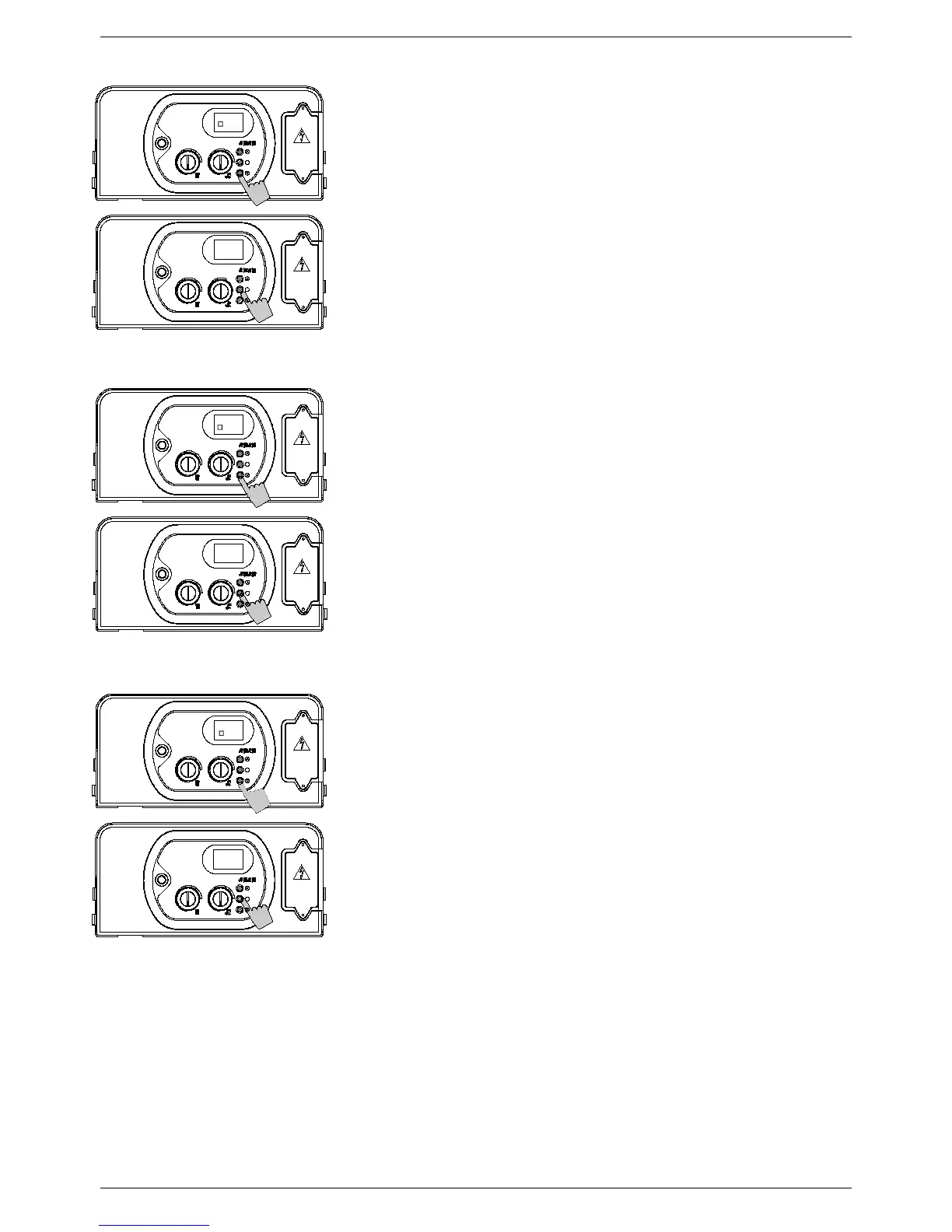
PARAMETER 4 – CENTRAL HEATING PUMP
6. Use buttons ‘+’ and ‘-‘ to modify the value of the
parameter:
00 = standard (3” overrun)
01 = permanent (always running)
7. Press and release button ‘S’ to confirm. The parameter
number (4) will appear on the display.
8. Switch off the appliance and switch it back on again to
render the new parameter operative.
P
ARAMETER 5 – WATER HAMMER PREVENTION
6. Use buttons ‘+’ and ‘-‘ to modify the value of the
parameter:
00 = off
01 = on (default = 2”)
7. Press and release button ‘S’ to confirm. The parameter
number (5) will appear on the display.
8. Switch off the appliance and switch it back on again to
render the new parameter operative.
P
ARAMETER 6 – CENTRAL HEATING TIMER
6. Use buttons ‘+’ and ‘-‘ to modify the value of the
parameter within the prescribed limits
00 = 0 x 5” = 0”
90 = 90 x 5” = 450” (7.5 min)
The default value is 36 = 180” = 3 min
7. Press and release button ‘S’ to confirm. The parameter
number (6) will appear on the display.
8. Switch off the appliance and switch it back on again to
render the new parameter operative.


 To Next Page