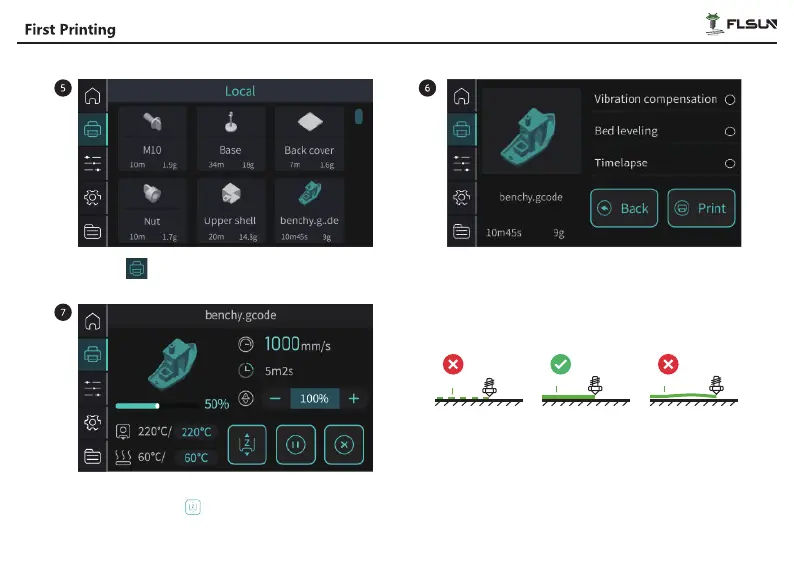
Click on " " and select the model you want to print. Before starting printing, you can manually select
"Vibration compensation", "Bed leveling", and
"Timelapse" then click "Print" to start printing.
If the nozzle is too low or too high when printing the first
layer, you can click " " during printing to adjust the height
of the nozzle and the adjustment will be automatically saved.
26
The nozzle is too close
to the hot bed
Proper distance The nozzle is too far
from the hot bed
filament
filament filament


 To Next Page