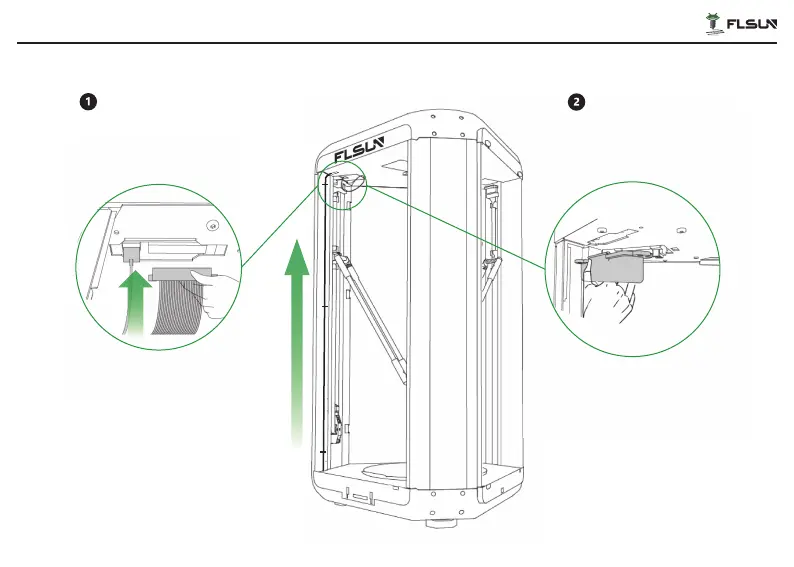
Lift upward and straighten the main
wiring and type-c that was removed
from the groove of the bottom, and then
insert the cables into the corresponding
ports on the underside of the upper case
respectively. Then put back the axis X
cover plate and secure it with ST2.9×16*6
screws.
Take out ② Cable Holder. Pinch the
center snap of the cable holder fir-
mly and push up to organize the
main wiring and type-c.
Install the main wiring and type-c
U
S
B
USB
16


 To Next Page