USB
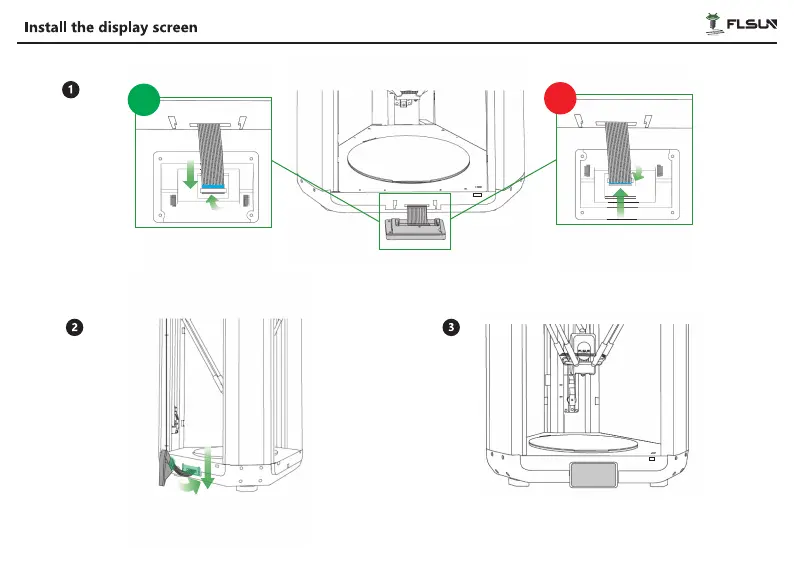
Take out the ⑨Display Screen, gently snap open the black cable clamp upward as shown in the fiqure on the right.
Push the screen cable in the direction shown in the figure. And press down the black cable clamp to fix the display
cable (Please be careful not to twist, flip, or fold the screen cable).
*Please note the display screen orientation.
USB
USB
Push the display cable into the opening at the rear of the
screen, then insert the display back into the display slot
and push down to tighten the display.
Display screen installation completed.
√
×
USB
17
USB


 To Next Page