CHARGING AND BATTERY SAFETY
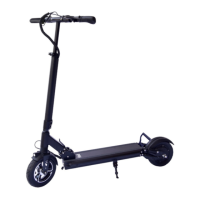
Charging the fluid Mosquito
Charge your scooter before its first use.
1. Turn your scooter off
2. Connect the charger to the wall power outlet
3. Locate the charging port
4. Open the charging port cover
5. Connect the charger to the scooter.
The LED on the charger will turn red while charging and turn green when
the scooter is ready for use. Remove the charger and cover the charging
port. Charging time with the included charger will be around 5 hours when
the scooter is empty.
Battery Maintenance and Storage
• We recommend charging your scooter after every use. This is not
required.
• A lithium-ion battery is a consumable device. Please replace it with a
new battery once capacity drops below 50% of what you experienced
initially. Contact fluidfreeride for a replacement.
• Make sure the battery is charged and that the scooter is turned off
before storing your scooter for extended periods at a time.
• Store your scooter indoors in a dry and cool place over 32°F (0°C) and
under 104°F (40°C). Do not keep it outdoors or in outdoor sheds for
extended periods of time as excessive cold, heat, sunlight, rain, or
other environmental conditions may damage the enclosure materials,
impact safe operation, and reduce the scooter’s lifespan.
• Charge your battery at minimum every 3 months to prevent it from
running completely empty. Once the battery runs completely empty
due to slow discharge while in storage, it may have to be replaced.
• Batteries perform poorly at low temperatures. For instance, if the
temperature is around 0°F (-18°C), battery capacity reduces by 50%.
Capacity will restore to normal when temperatures rise.


 To Next Page