Symbols
Table 1. Symbols
Symbol Explanation
T
Product is protected by double insulation.
W
Risk of Danger. Important information. See Instruction
Sheet.
X
Hazardous voltage
B
Alternating Current
F
Direct Current
J
Earth
,
May be used on hazardous live conductors
~
Do not dispose of this product as unsorted municipal
waste. Contact Fluke or a qualified recycler for disposal.
P
Conforms to relevant European Union directives
M
Battery
Components
POWER
AUTO POWER OFF
F
A
B
C
D
E
H
G
epq001.eps
Item Explanation
A
Place fingers behind the Tactile Barrier
B
The Jaw is a precision sensor for detecting current
C
Use the mA/A Selector Switch to choose the range of
ac current (either mA or A) to be measured
D
The Display shows the measured value (digital reading
or bargraph), unit, function, and low-battery symbol
E
Open and close the jaw with the Open/Close Lever
F
The Data Hold Switch retains the measured data on
the display. If pressed,
D • H
appears and the data is
retained. If pressed again, data hold is canceled and
D • H
disappears.
G
Press the Power Button to turn on Clamp Meter power
H
Battery Housing holds the battery
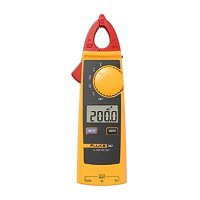
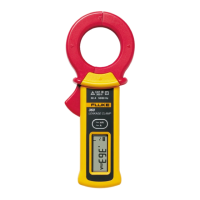
Figure 1. The 360 Clamp Meter


 To Next Page