414D/419D/424D
Users Manual
8
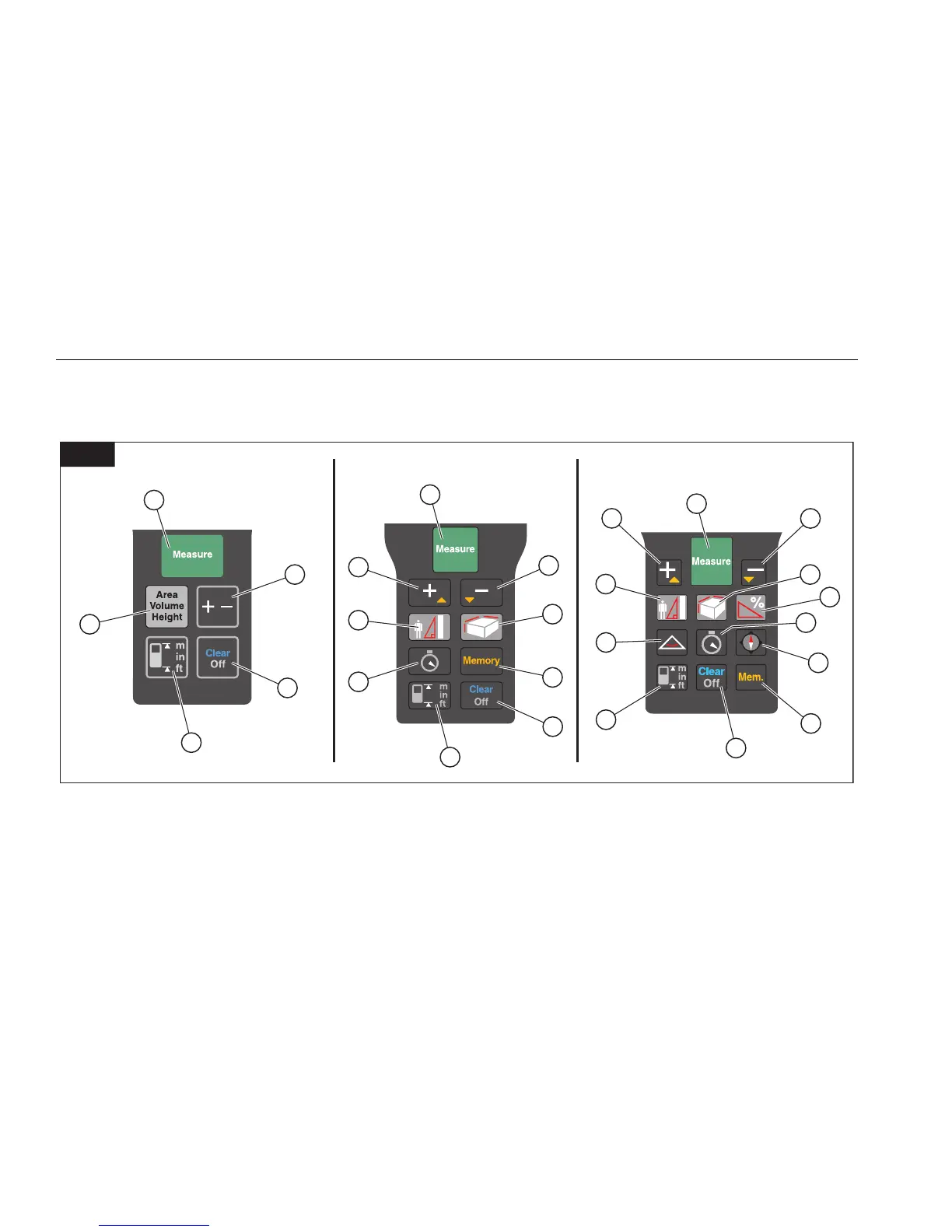
Keypad
Figure 6 shows the location of each function button on
the keypad.
1
1
1
3
2
4
3
8
11
4
9
12
5
5
6
6
7
14
10
10
9
5
6
13
8
11
6
424D419D414D
gwo05.eps
Measure/Power On Clear/Off Area/Volume Triangle
Plus (+)/Minus (-) Reference/Change Units Memory Compass
Plus (+)/Scroll Up Area/Volume/Indirect Measurement (Pythagoras) Timer
Minus (-)/Scroll Down Indirect Measurement (Pythagoras and Stake Out) Tilt
Shop for Fluke products online at:
1.877.766.5412
www.MyFlukeStore.com



 To Next Page