9102S Dry-Well Calibrator
DC Power Operation
12
DC Power Operation3.4
This instrument is equipped with a DC power option. The DC option requires a power
source that delivers 12 VDC at 3 amps.
WARNING: A fire may occur if a short circuit occurs along the input cord and
no protective devices are on the DC input source. For short circuit protection
using a battery, a fuse is required at the battery terminals.
The DC power socket is located on the rear panel of the instrument near the AC power
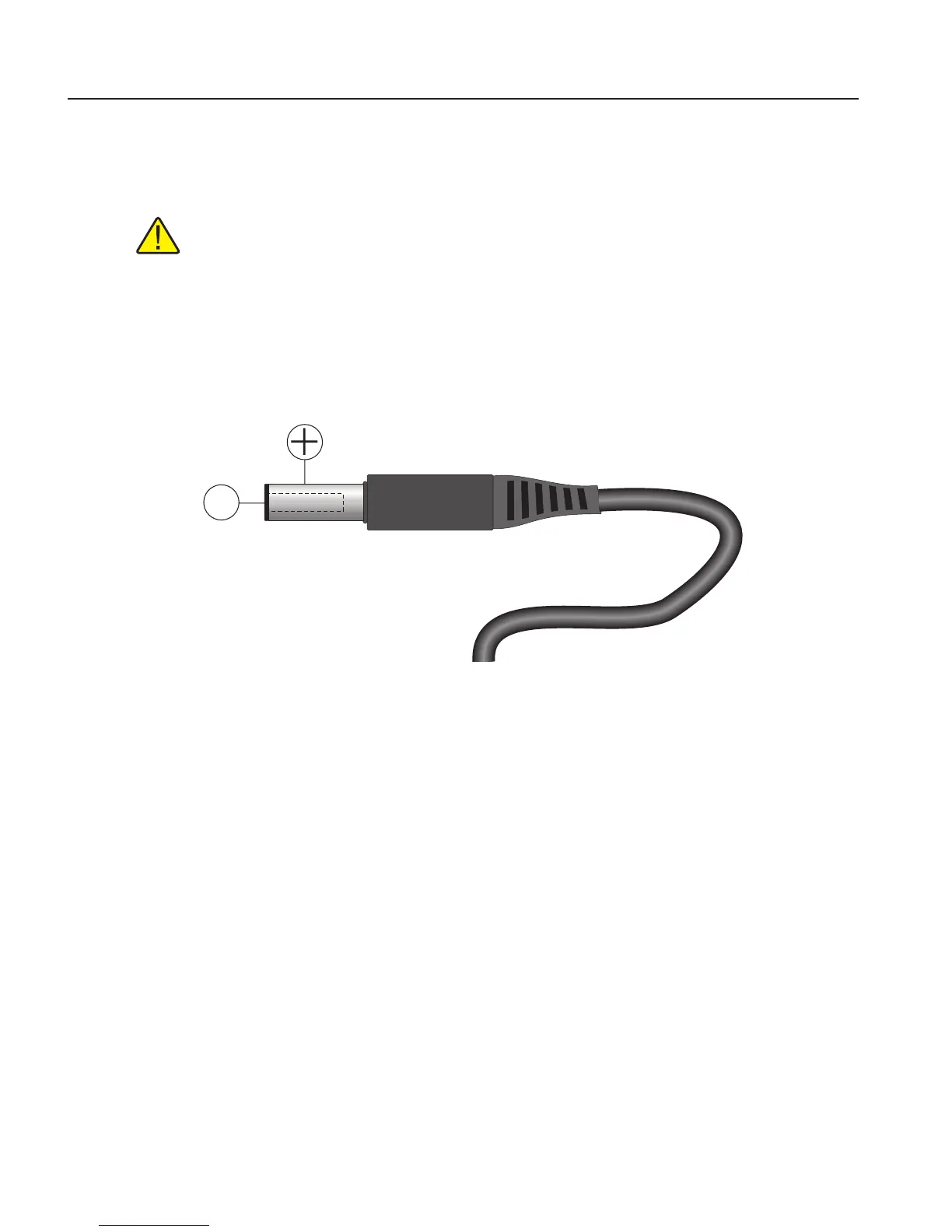
jack. The instrument accepts a 7/32 inch diameter, two-conductor DC power plug
such as Switchcraft® PN. 760. Observe the correct polarity as shown in Figure . The
outside conductor is positive and the inside is negative. The AC power switch on the
rear panel does not switch the DC power.
Figure 1 12 V DC Power Source Polarity
The optional Model 9320A Battery Pack, available from Fluke, can be used as a por-
table power source.
Setting the Temperature3.5
Section 6.2, Temperature Set-point, on page 19 explains in detail how to set the
temperature set-point on the calibrator using the front panel keys. The procedure is
summarized here.
Press “SET” twice to access the set-point value.1.
Press 2. u or d arrow to change the set-point value.
Press “SET” to program in the new set-point.3.
Press and hold “EXIT” to return to the temperature display.4.
When the set-point temperature is changed the controller switches the well heater
on or off to raise or lower the temperature. The displayed well temperature gradu-
ally changes until it reaches the set-point temperature. The well may require 5 to
10 minutes to reach the set-point depending on the span. Another 5 to 10 minutes is
required to stabilize within ±0.1°C of the set-point. Ultimate stability may take 15 to
20 minutes more of stabilization time.



 To Next Page