2
GFCI Test
To test a GFCI:
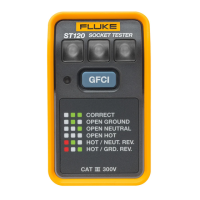
1. Before you plug the Product into a GFCI socket, push the GFCI test
button, if applicable, to trip the GFCI socket. If the GFCI does not trip, the
socket is faulty and should be replaced.
2. After the GFCI trips, push the RESET button on the GFCI socket.
3. Plug in the Product and push the blue GFCI test button on the Product for
a minimum of 6 seconds. As you push the Product button, but before the
GFCI trips, the LED to the left of the Product button briey turns on.
Once the GFCI trips, all of the LEDs on the Product go out. If the GFCI
does not trip, or if any of the LEDs on the Product remain on, there is a
problem with the wiring of the socket, the socket itself, or the Product.
Consult an electrician to determine the problem.
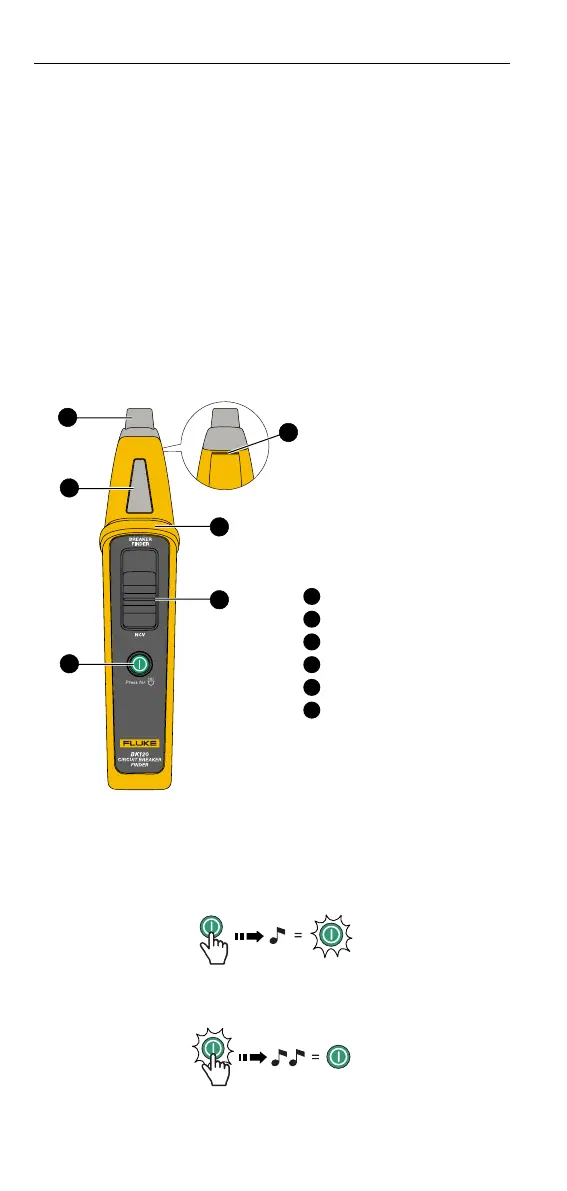
Breaker Finder
Figure 2. Breaker Finder
1
3
2
4
5
6
1
NCV indication
2
Breaker nder indication
3
Power button
4
Function selector
5
Tactile barrier
6
Flashlight
Power On/O
Momentarily push
. Listen for a single beep to conrm activation. The
Product performs a self-test upon powering ON, emitting beeps and light
indications to ensure the proper visual and audio indications. A solid light on
indicates the Product is active.
1 sec.
Push
> 1 s to turn the product o. Listen for a double beep to
conrm de-activation.
1 sec.
OFF
SmartTrace
TM
Breaker Finder
Product Use








 To Next Page