6
Flashlight
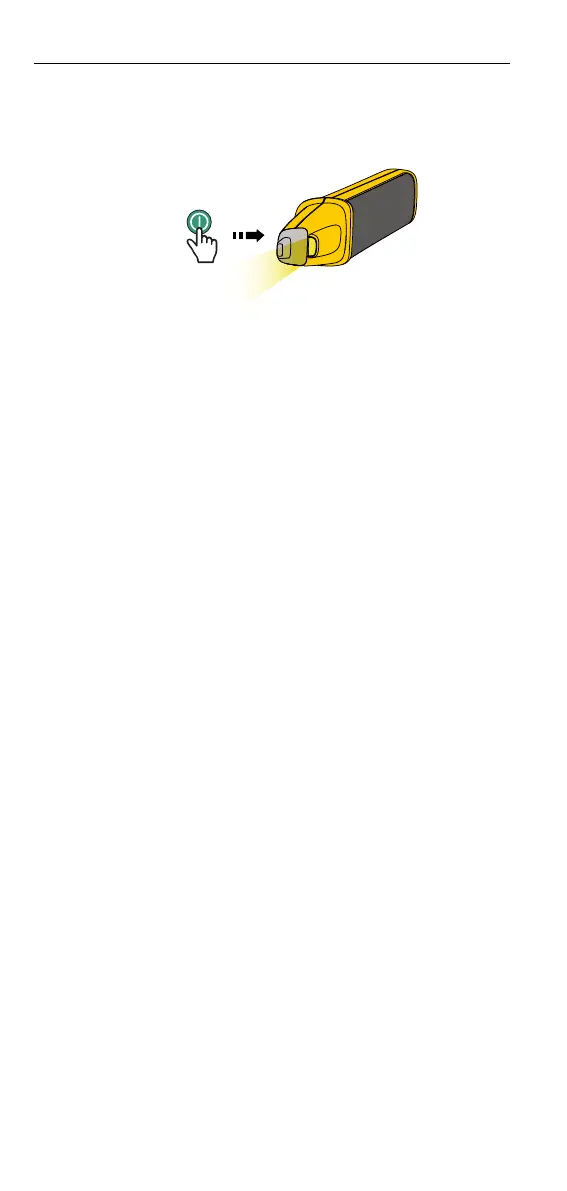
Push
momentarily to turn ON the Product and ashlight at the tip is ON.
Push
momentarily again to turn OFF the ashlight (See Figure 13.).
Figure 13. Flashlight
Auto Power O
After about ve minutes of nonuse, the Product automatically powers o to
save battery life. The Product emits two beeps when the power automatically
turns o. The absence of the light indication at the tip or a continual light
ash on
serves as a visual power-o indication.
Maintenance
Cleaning
WX Warning
For safe operation and maintenance of the product:
• Remove the Product from measurement circuits before you clean
the Product.
• Never use acid-based detergents or solvent liquids for cleaning.
• After cleaning, do not use the Product until the Product is dried
completely.
To clean the Product, use a damp cloth and a mild detergent. DO NOT
IMMERSE in liquid.
Product Disposal
Dispose of the Product in a professional and environmentally appropriate manner:
- Delete personal data on the Product before disposal.
- Remove batteries that are not integrated into the electrical system before
disposal and dispose of batteries separately.
Battery Replacement (Breaker Finder)
The blinking red indication (trapezoid) at the tip indicates that the batteries
need to be replaced.
WX Warning
To avoid possible electric shock or personal injury:
• Do not operate the Product with the battery door or portions of
the cover removed or loosened.
• Remove the batteries if the Product is not used for an extended
period of time, or if stored in temperatures above 50 °C. If the
batteries are not removed, battery leakage can damage the Product.
SmartTrace
TM
Breaker Finder
Maintenance








 To Next Page