About This User Guide..................................................................错误!未定义书签。
Contact with FlyingVoice............................................................................................................................. 2
Purpose...........................................................................................................................................................3
Cross references.............................................................................................................................................3
Declaration of Conformity................................................................................................................................... 4
CE certification............................................................................................................................................. 4
FCC certification...........................................................................................................................................4
Class B Digital Device or Peripheral...........................................................................................................4
Warnings and notes...............................................................................................................................................5
Warnings........................................................................................................................................................5
Notes............................................................................................................................................................... 5
Chapter 1 Product description..........................................................................6
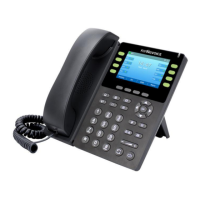
FIP11/FIP11W/FIP11WP..................................................................................................................................... 7
Internet connection............................................................................................................................................... 8
Phone Start.................................................................................................................................................... 8
Connect to a wired network.........................................................................................................................8
Connect to a wireless network..................................................................................................................... 8
Familiar with the phone..................................................................................................................................... 10
Front panel...................................................................................................................................................10
Later panel...................................................................................................................................................12
LED indicator..............................................................................................................................................13
LED status................................................................................................................................................... 13
Chapter 2 Basic functions................................................................................15
SIP registration....................................................................................................................................................16
Dial number.........................................................................................................................错误!未定义书签。
Use the handle..............................................................................................................................................17
Use handsfree...............................................................................................................................................17
Use headphones........................................................................................................................................... 17
Use the redial key........................................................................................................................................ 17
Call from the phone book...........................................................................................................................17
Call from call log......................................................................................................................................... 18
Answer the phone................................................................................................................................................18
Call mute.............................................................................................................................................................. 18
Hold...................................................................................................................................................................... 19
3-way Conference................................................................................................................................................ 19
Call transfer.........................................................................................................................................................19
Attended call transfer................................................................................................................................. 19
Blind call transfer....................................................................................................................................... 20
Call Forwarding.................................................................................................................................................. 20


 To Next Page