EasyManua.ls Logo

Flying Voice FIP11 - SIP Account

Flying Voice FIP11
77 pages
Print Icon
To Next Page IconTo Next Page
To Previous Page IconTo Previous Page
Loading...
Web Configuration FIP11/FIP11W/FIP11WP User Manual
41
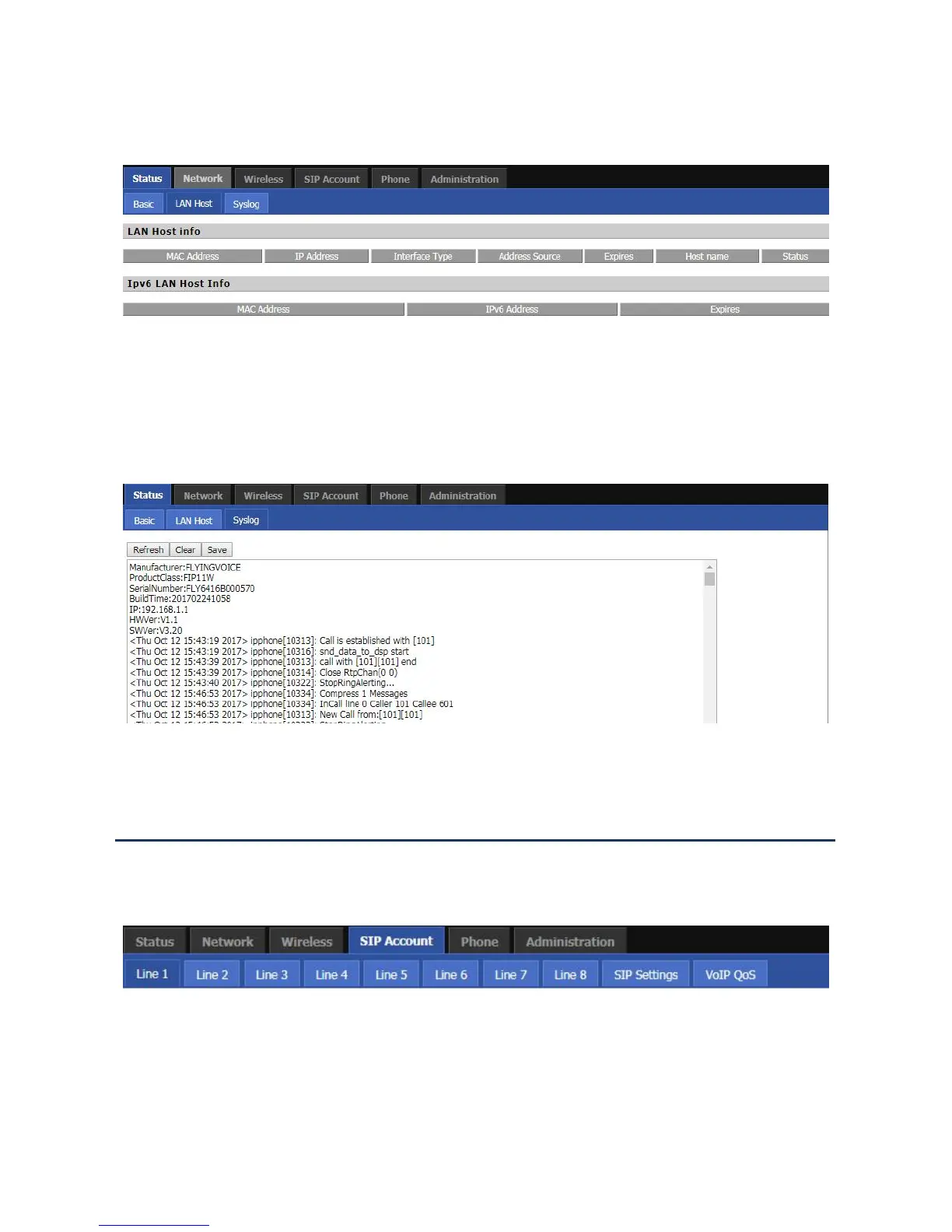
LAN Host
This page shows information about the device connected to the LAN port of the device.
Syslog
This page displays the system log: the user can use the ‘Clear button to delete all logs, clear all information; use
the ‘Refresh’ button to refresh the system log;Use the ‘Save’ button Save Log to the local computer to export the
log.
SIP Account
This page includes: account settings, SIP Settings and VoIP QoS settings, the following picture is the navigation
bar:
Account setting
The user can configure the parameters of line 1-8 in this page, including the following four parts: Basic, Audio
Configuration, Supplementary Service Subscription and Advanced.

Table of Contents

Related product manuals