Web Configuration FIP11/FIP11W/FIP11WP User Manual
Basic
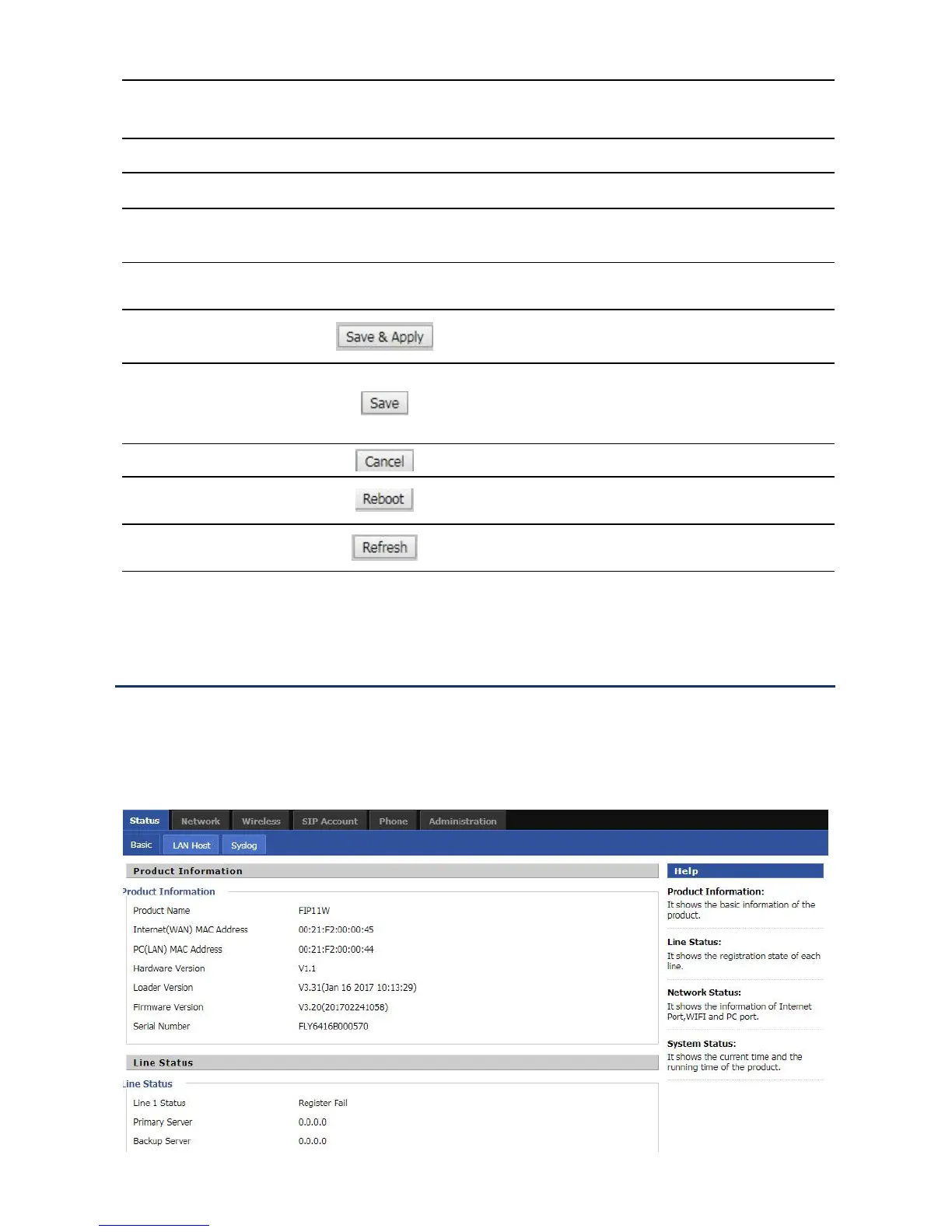
This page shows the basic status of the phone: including product model, SIP account registration status, network
status, VPN status, PC port status and system status. Click the Refresh button to refresh.
Click the sub navigation bar to enter the configuration
page
Device Information Configuration Title
main information shows the firmware version, DSP
version, current time and management mode.
help to display help information, users can get some
help here
Use this button,conifg will be saved and apply
After changing the parameters, you need to click this
button to save. After you click Save, there is a need to
restart the device.
Click to cancel the change


 To Next Page