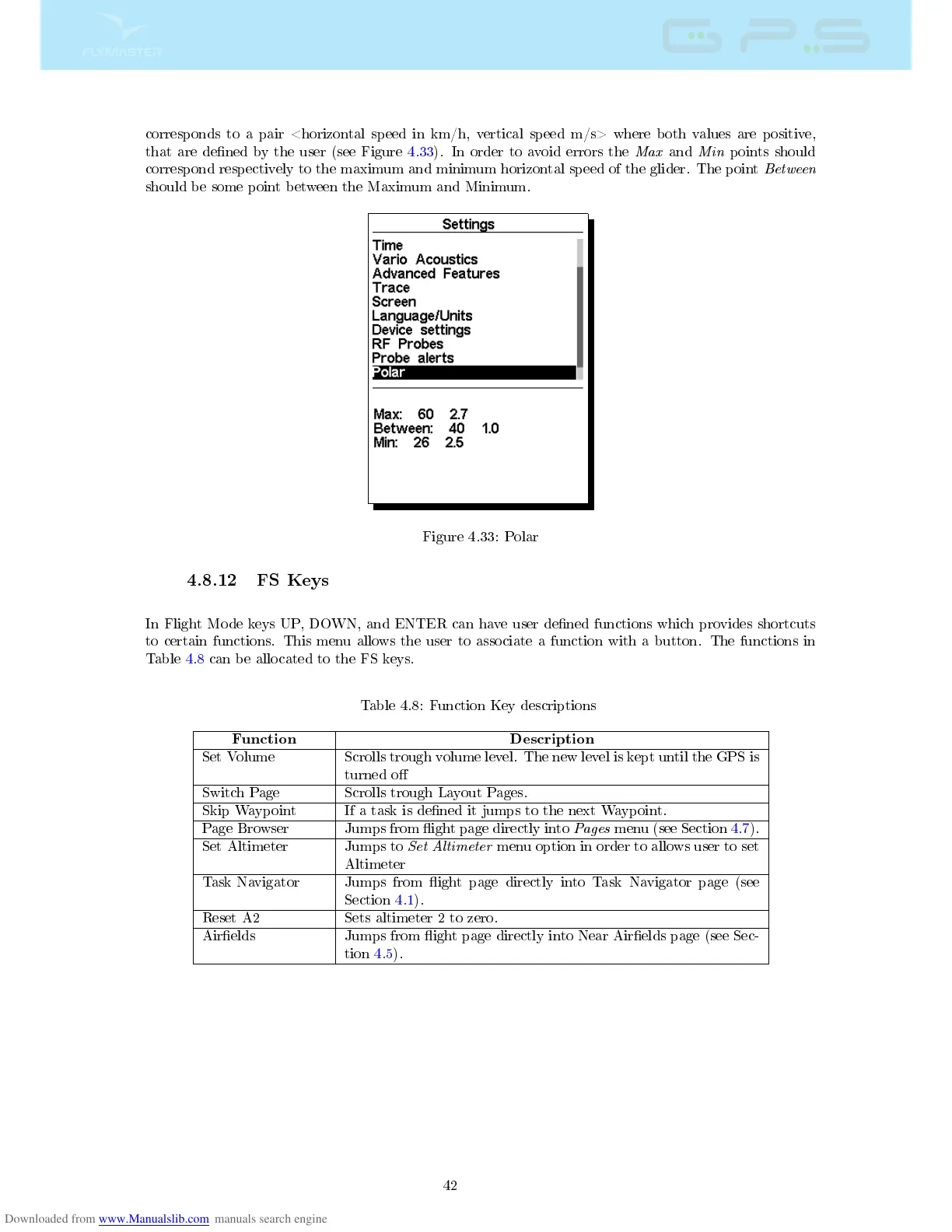
corresponds to a pair <horizontal speed in km/h, vertical speed m/s> where both values are positive,
that are dened by the user (see Figure 4.33). In order to avoid errors the
Max
and
Min
points should
correspond respectively to the maximum and minimum horizontal speed of the glider. The point
Between
should be some point between the Maximum and Minimum.
Figure 4.33: Polar
4.8.12 FS Keys
In Flight Mode keys UP, DOWN, and ENTER can have user dened functions which provides shortcuts
to certain functions. This menu allows the user to associate a function with a button. The functions in
Table 4.8 can be allocated to the FS keys.
Table 4.8: Function Key descriptions
Function Description
Set Volume Scrolls trough volume level. The new level is kept until the GPS is
turned o
Switch Page Scrolls trough Layout Pages.
Skip Waypoint If a task is dened it jumps to the next Waypoint.
Page Browser Jumps from ight page directly into
Pages
menu (see Section 4.7).
Set Altimeter Jumps to
Set Altimeter
menu option in order to allows user to set
Altimeter
Task Navigator Jumps from ight page directly into Task Navigator page (see
Section 4.1).
Reset A2 Sets altimeter 2 to zero.
Airelds Jumps from ight page directly into Near Airelds page (see Sec-
tion 4.5).
42



 To Next Page