4 Menu mode
When in ight mode, pushing the menu (S1) button accesses the menu mode. When in menu mode
pushing the menu(S1) button will go back to ight mode.
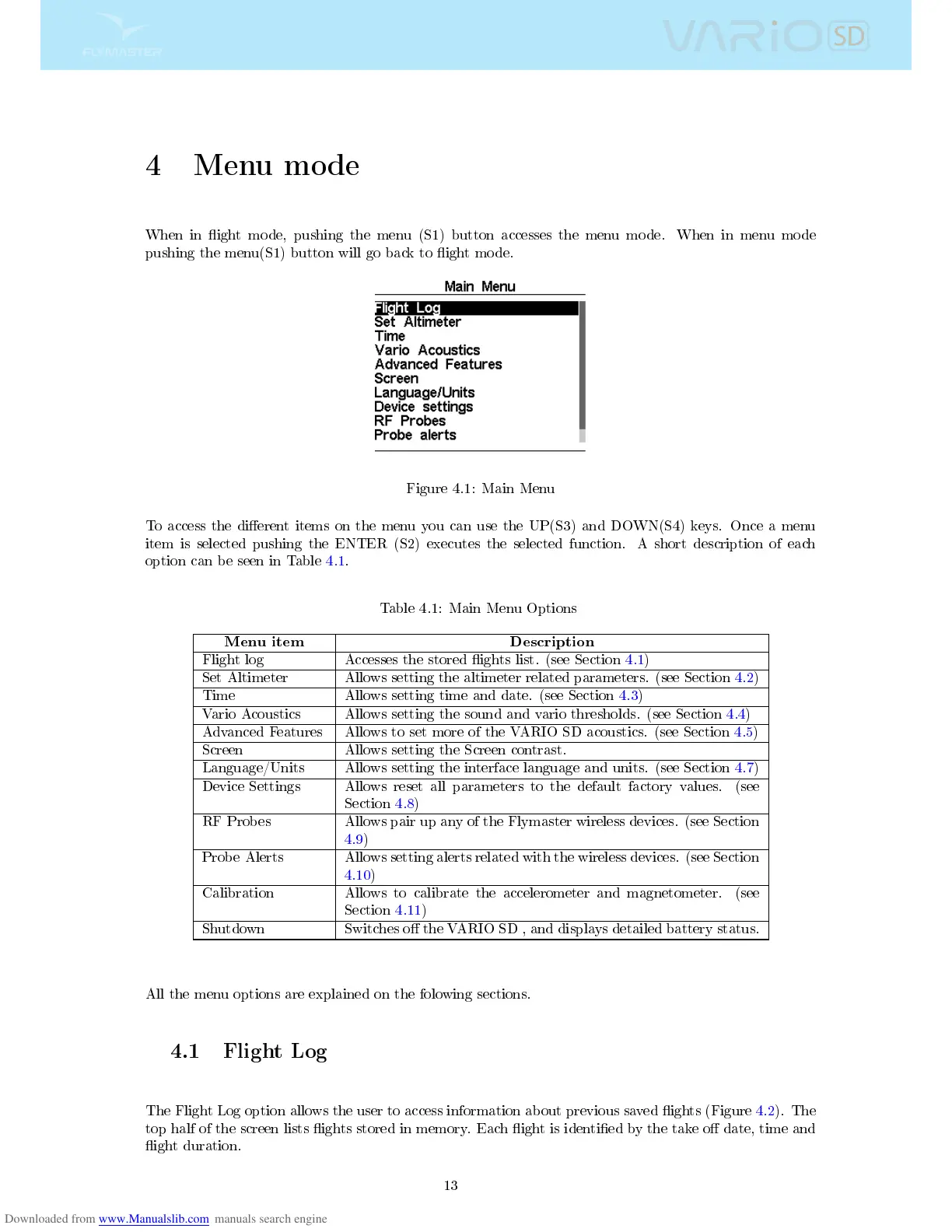
Figure 4.1: Main Menu
To access the dierent items on the menu you can use the UP(S3) and DOWN(S4) keys. Once a menu
item is selected pushing the ENTER (S2) executes the selected function. A short description of each
option can be seen in Table 4.1.
Table 4.1: Main Menu Options
Menu item Description
Flight log Accesses the stored ights list. (see Section 4.1)
Set Altimeter Allows setting the altimeter related parameters. (see Section 4.2)
Time Allows setting time and date. (see Section 4.3)
Vario Acoustics Allows setting the sound and vario thresholds. (see Section 4.4)
Advanced Features Allows to set more of the VARIO SD acoustics. (see Section 4.5)
Screen Allows setting the Screen contrast.
Language/Units Allows setting the interface language and units. (see Section 4.7)
Device Settings Allows reset all parameters to the default factory values. (see
Section 4.8)
RF Probes Allows pair up any of the Flymaster wireless devices. (see Section
4.9)
Probe Alerts Allows setting alerts related with the wireless devices. (see Section
4.10)
Calibration Allows to calibrate the accelerometer and magnetometer. (see
Section 4.11)
Shutdown Switches o the VARIO SD , and displays detailed battery status.
All the menu options are explained on the folowing sections.
4.1 Flight Log
The Flight Log option allows the user to access information about previous saved ights (Figure 4.2). The
top half of the screen lists ights stored in memory. Each ight is identied by the take o date, time and
ight duration.
13



 To Next Page