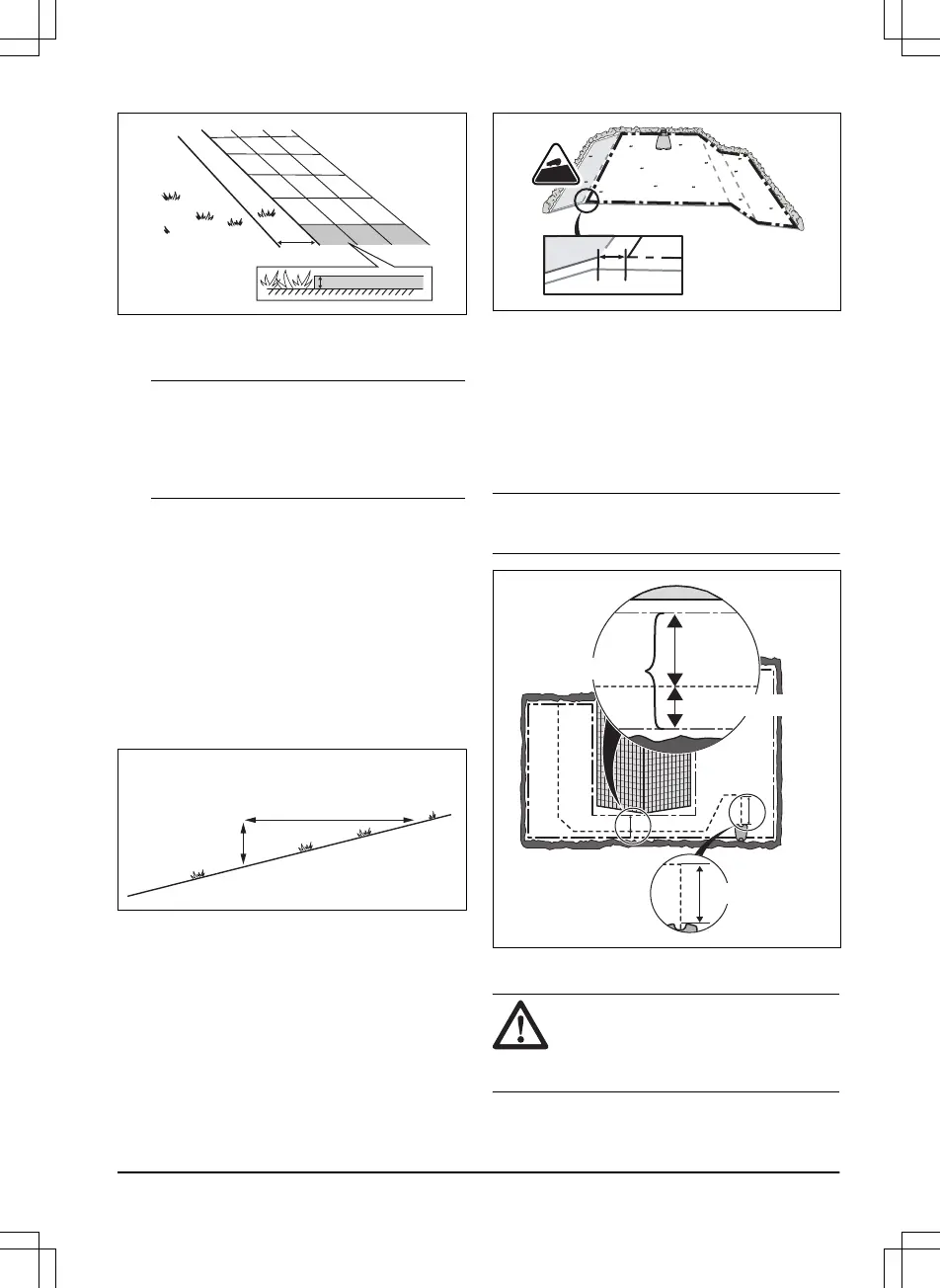
• If you have a paving stone path that is in
level with the lawn, put the boundary wire
below the paving stone.
Note: If the paving stone is minimum 30 cm /
12 in. wide, use the factory setting for the
Drive Past Wire
function to cut all the grass
adjacent to the paving stone. Refer to
To set
the Drive Past Wire function on page 28
.
• If you make an island, put the boundary wire
that runs to and from the island near
together (E). Put the wires in the same
stake. Refer to
To make an island on page
17
.
• Make an eyelet (F) where the guide wire is
to be connected to the boundary wire.
3.4.3.1 To put the boundary wire in a slope
The product can operate in 35% slopes. Slopes
that are too steep must be isolated with the
boundary wire. The gradient (%) is calculated as
height per m. Example: 10 cm / 100 cm = 10%.
• For slopes steeper than 35% inside the work
area, isolate the slope with boundary wire.
• For slopes steeper than 10% along the outer
edge of the lawn, put the boundary wire 20
cm / 8 in. (A) from the edge.
• For slopes adjacent to a public road, put a
fence or a protective wall along the outer
edge of the slope.
3.4.3.2 Passages
A passage is a section that has boundary wire on
each side and that connects 2 work areas. The
passage must be a minimum of 60 cm / 24 in.
between the boundary wire.
Note: If a passage is less than 2 m / 6.5 ft. wide,
install a guide wire through the passage.
3.4.3.3 To make an island
CAUTION:
Do not put a section of
boundary wire across the other. The
sections of boundary wire must be
parallel.
1392 - 001 -
Installation - 17













 To Next Page