3.10.7.1 To set the Lawn Coverage function
1. Do steps 1–3 in
To get access to the menu
on page 23
.
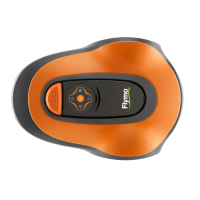
2. Use the arrow buttons and the OK button to
move through the menu structure
Settings >
Lawn Coverage > Area 1-3
.
3. Use the arrow button to select the area.
4. Push the OK button.
5. Measure the distance from the charging
station to the start of the area. Measure
along the guide wire. Refer to
To measure
the distance from the charging station on
page 27
.
6. Push the arrow buttons to select the
distance, measured in m.
7. Push the OK button.
8. Use the arrow buttons to select the % of the
cutting time the product must cut the area.
The % is equal to the % of the area in
relation to the complete work area.
a) Measure the area.
b) Divide the area with the complete work
area.
c) Convert the result to %.
Note: The sum of Area 1-3 must be 100% or
less. If the sum is less than 100%, the
product sometimes straddles the guide wire
and starts to mow at the starting point. Refer
to
Starting point on page 28
.
9. Push the BACK button.
3.10.7.2 To set the PassageSense function
Note:
To prevent that the grass in the narrow
passage is worn, Flymo recommends to set a low
percentage for the
PassageSense
.
1. Do steps 1–3 in
To get access to the menu
on page 23
.
2. Use the arrow buttons and the OK button to
move through the menu structure
Settings >
Lawn Coverage > Area 1-3
.
3. Use the arrow buttons to select the area.
4. Push the OK button.
5. Measure the distance from the charging
station to the beginning of the narrow
passage. Measure along the guide wire.
Refer to
To measure the distance from the
charging station on page 27
.
Note: Make sure that the distance to the
PassageSense
is set inside the narrow
passage.
6. Push the arrow buttons to select the
distance.
7. Push the OK button.
8. Use the arrow buttons to select the % of the
cutting time that the product must start the
narrow passage cutting.
9. Use the arrow buttons and the OK button to
select
More > PassageSense
.
10. Push the OK button to enable
PassageSense
.
11. Push the BACK button.
3.10.7.3 To do a test of the Lawn Coverage
function
1. Put the product in the charging station.
2. Do steps 1–3 in
To get access to the menu
on page 23
.
3. Use the arrow buttons and the OK button to
move through the menu structure
Settings >
Lawn Coverage > Area 1-3 > More > Test
.
4. Push the OK button.
5. Push the GO button.
6. Close the hatch.
7. Make sure the product can find the area.
3.10.7.4 To measure the distance from the
charging station
1. Put the product in the charging station.
2. Do steps 1–3 in
To get access to the menu
on page 23
.
3. Use the arrow buttons and the OK button to
move through the menu structure
Settings >
Lawn Coverage > Area 1-3 > How far?
4. Use the arrow buttons to set 500 m as a
distance.
5. Push the OK button.
6. Use the arrow buttons and the OK button to
move through the menu structure
Settings >
Lawn Coverage > Area 1-3 > More > Test
.
7. Push the OK button.
1392 - 001 -
Installation - 27



 To Next Page