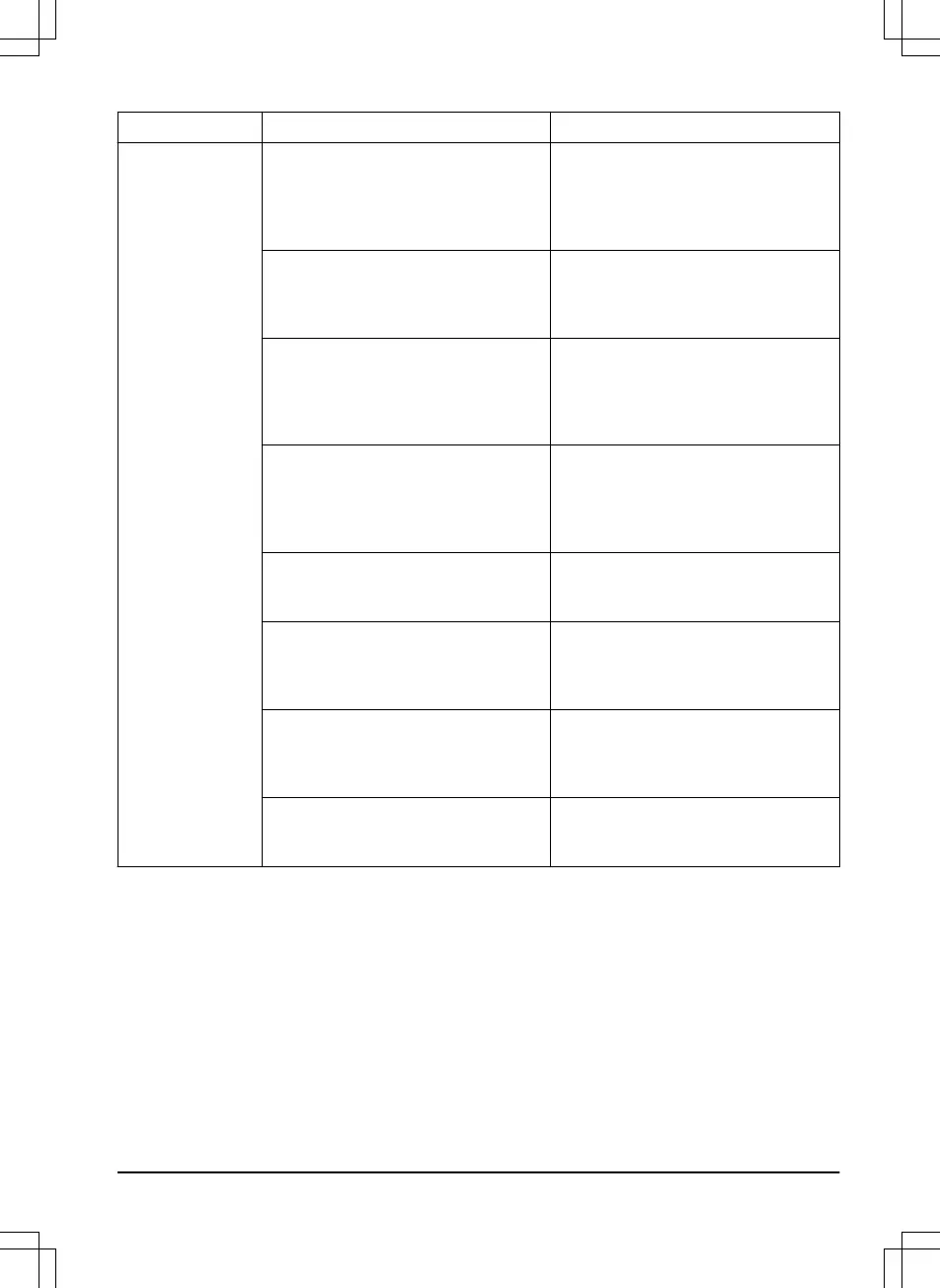
Message Cause Action
No loop signal
The power supply is not connected. Check the wall socket connection and
whether an earth-fault breaker has trip-
ped or not. Check that the low voltage
cable is connected to the charging sta-
tion.
The low voltage cable is damaged or
not connected.
Check that the low voltage cable is not
damaged. Check that it is also properly
connected to the charging station and
to the power supply.
The boundary wire is not connected to
the charging station.
Check that the boundary wire connec-
tors are fitted properly to the charging
station. Replace connectors if dam-
aged. Refer to
To install the boundary
wire on page 21
.
The boundary wire is broken. Find out where the break is. Replace
the damaged section of the loop with a
new loop wire and splice using an origi-
nal coupler. Refer to
Find breaks in the
loop wire on page 47
.
ECO mode
is activated and the product
has attempted to start outside the
charging station.
Place the product in the charging sta-
tion and push the STOP button. Refer
to
ECO mode on page 29
.
The boundary wire is crossed on its
way to and from an island.
Check that the boundary wire is laid ac-
cording to instructions, e.g. in the right
direction around the island. Refer to
To
make an island on page 17
.
The signal between the product and the
charging station has been broken.
Place the product in the charging sta-
tion and generate a new loop signal.
Refer to
To create a new loop signal on
page 26
.
Disturbances from metal objects (fen-
ces, reinforcement steel) or buried ca-
bles close by.
Try moving the boundary wire.
1392 - 001 - Troubleshooting - 43











 To Next Page