14
▆
Update
Requirements
Zadig Driver Installer: https://zadig.akeo.ie/
OpenTX Compainion 2.2: https://www.open-tx.org/2018/07/28/opentx-2.2.2
Firmware and SD card contents: http://www.ysky-cn.com/download.html
Driver Installation
Installing the driver is only required the rst time you ash your radio on a given computer. If you already done this step,
you can skip this section.
Note: Windows 10 may delete the driver duing updates so if you have issues ashing in future reinstall the driver.
1. Put the Nirvana into DFU mode:
a. Take out and reinsert the battery.
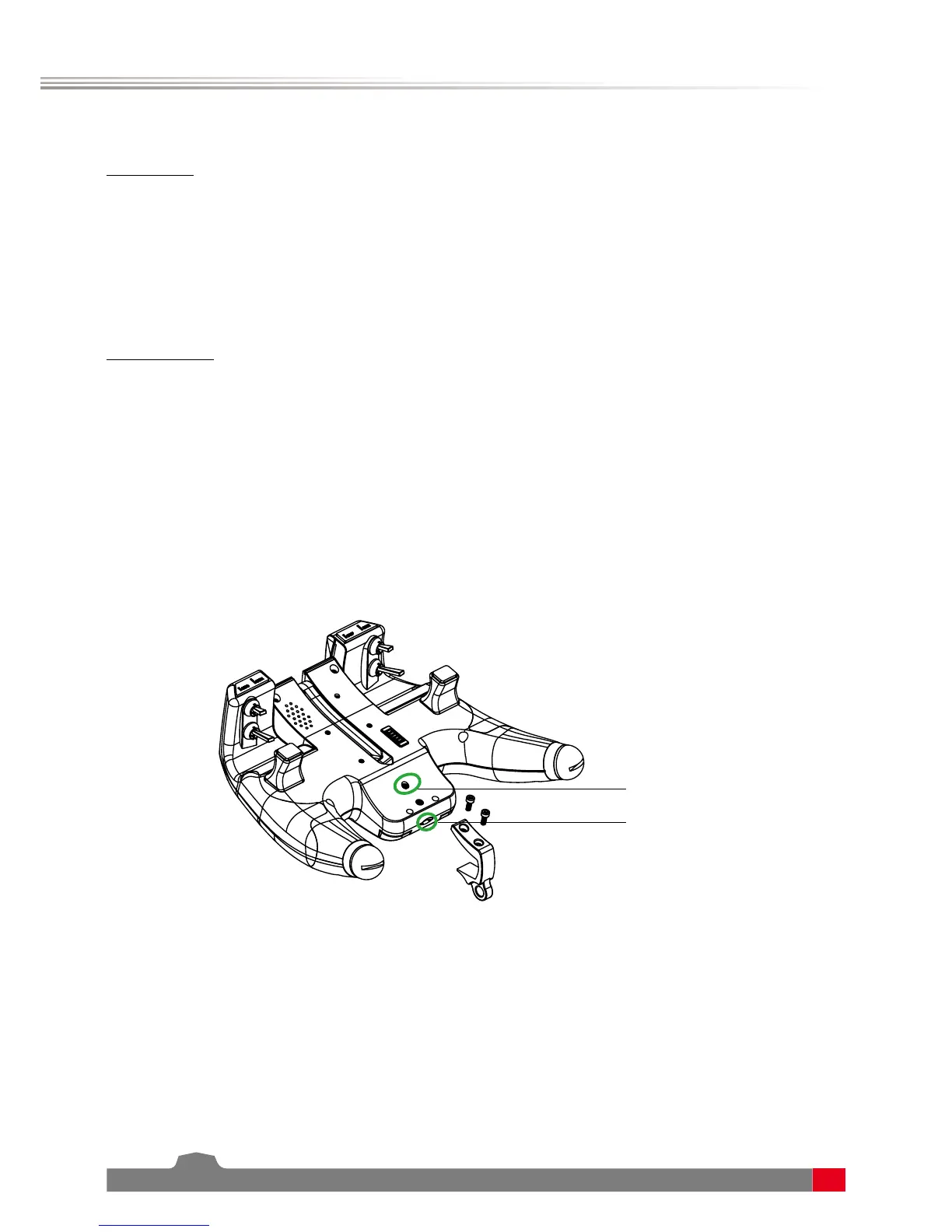
b. Press the DFU button and inset the USB wire at the same time. (Check user manual for location of DFU button)
2. Download the Zadig utility for your operating system from its homepage: http://zadig.akeo.ie/
3. Right click the le and select “Run as Administrator“
4. In the big dropdown, you should nd an entry named either “STM32 BOOTLOADER” or “STM Device in DFU mode”.
Select it, and click the “Install Driver” or “Replace Driver“ button.


 To Next Page