15
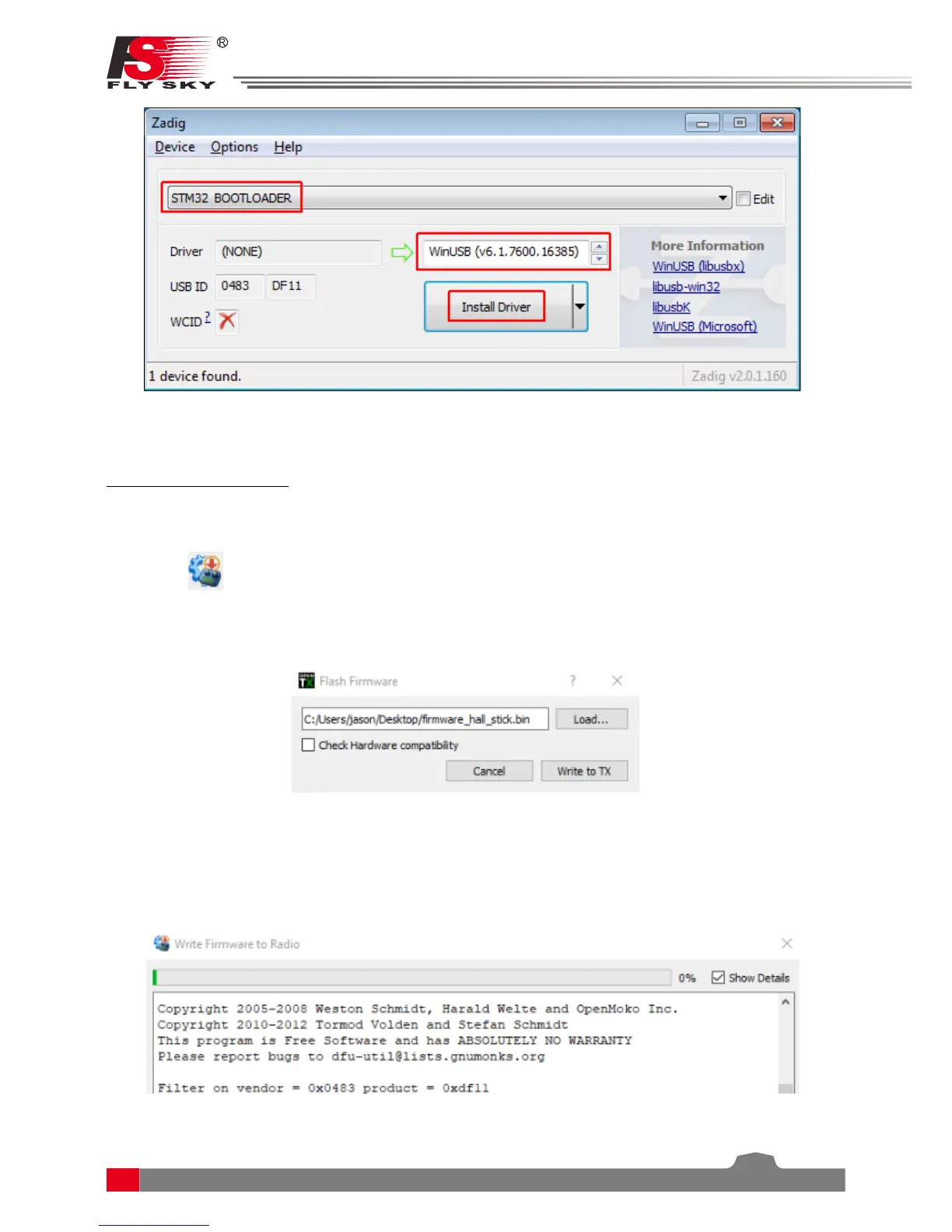
Note: If the dropdown menu is empty go to options and select “List all devices“.
Flashing Frimware to Nirvana
1. Open OpenTX Companion
2. Select the
icon located on the left side of the window.
3. On the popup, select “Load...“, then select the rmware .bin le that you downloaded from the links on page 1.
Make sure that the “Check Hardware Compatibilty“ box has been unchecked.
4. Click “Write to TX“. A new window willv open with a progress bar and some debug information.


 To Next Page