Servo Frequency
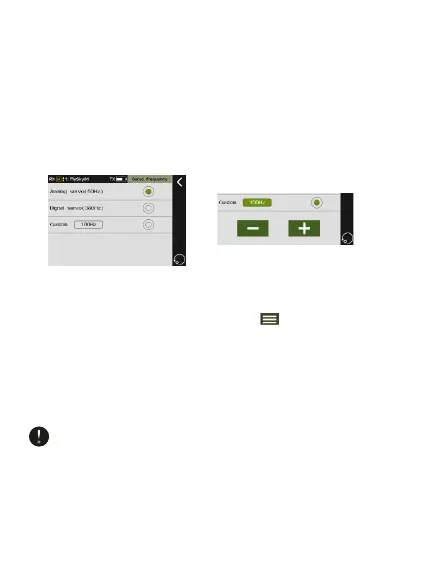
This function is used to adjust the frequency of the channel
output control servo, including analog servo (50 Hz), digital
servo (380 Hz) and custom. The correct output frequency
value can be selected or set according to the servo used. The
system defaults to analog servo and the custom frequency
adjustment range is between 50-400 Hz.
Function Setup:
• Enter the main interface and touch .
• Enter [Rx Setup] and touch [Servo Frequency].
• Touch to select analog servo, digital servo or custom.
• If you select custom, touch “+” or “-” on the screen to
adjust the frequency.
Check the servos user manual for the correct servo
operating frequency. Using the wrong frequency may lead
to issues and unpredictable movement.


 To Next Page