6.3 Switching the device ON/OFF
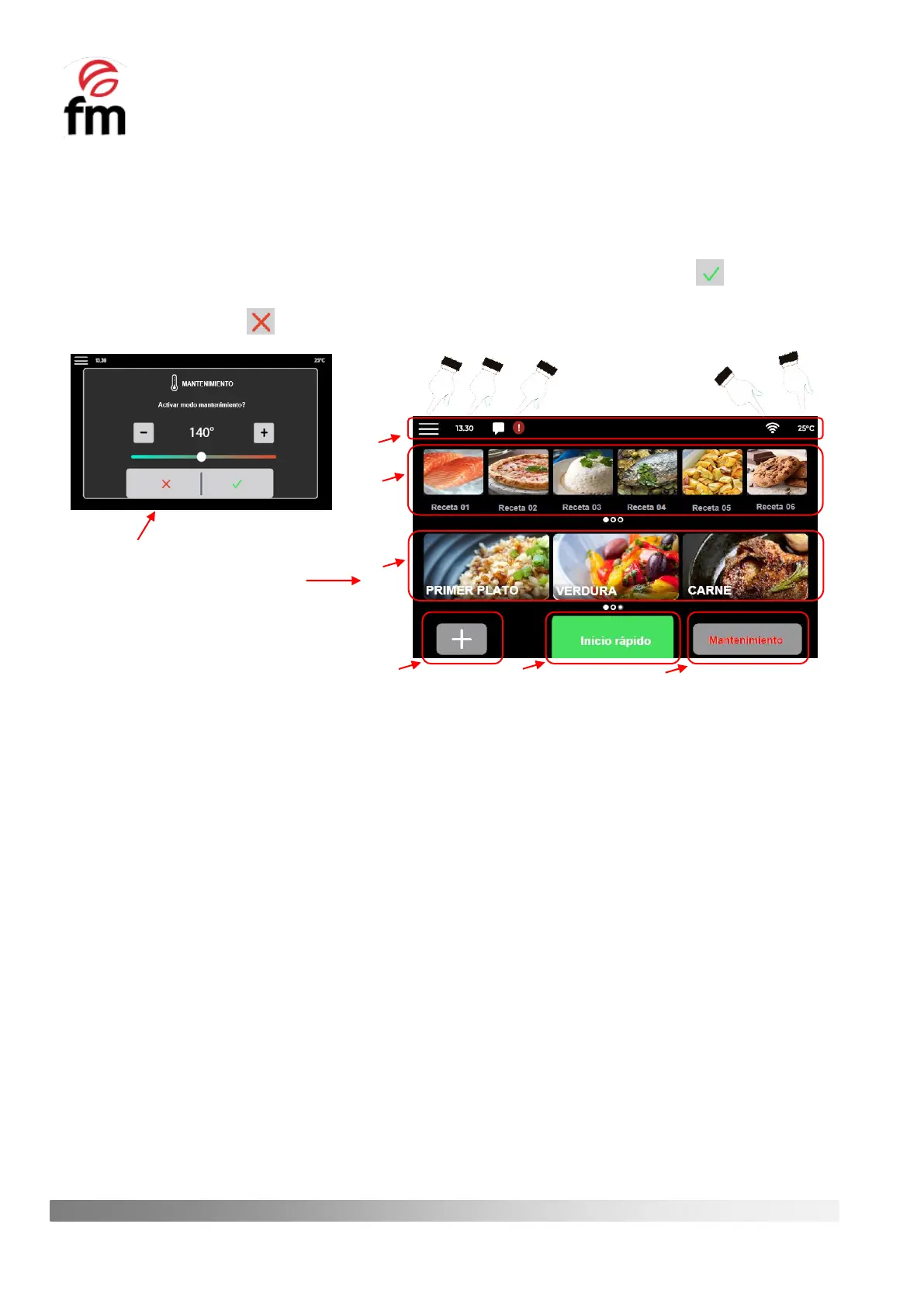
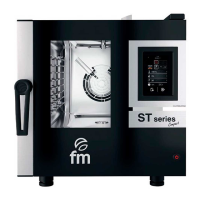
Each time the appliance is started from the power button on the control panel (see section 6.2), the display will show
a first message asking for the “MAINTENANCE MOOD” to be activated. In case you wish to activate this mode, simply
select the desired temperature using the icons “+” o “-“ or via the scroll bar, and then click the icon (to find out more
about the “MAINTENANCE MOOD”, see sectio 6.8). If you do not want to activate this mode, you cancel the start of the
mode by clicking on the icon and this will take us to the initial screen of the device.
The home screen is structured as follows:
1. Notification bar: is located at the top of the screen. This bar shows the icon for accessing the main menu (a),
hour (b), alarm signal/event or operating error (c), WI-FI connection enable symbol (d) and current temperature
of the cooking chamber (e).
2. Favourite recipe group: displays the recipes that have been selected as favourites within the general recipe
library (see section 6.5). This group can store up to 18 recipes and can be made up of both factory recipes and
recipes that have been created by users. To scroll through the group, simply slide the group sideways.
3. Category group: shows the six main categories into which the recipes stored in the general library of the
appliance can be classified (see section 6.6.3). This list is NOT EDITABLE by the user, and the categories are
defined by factory default. As with the group of favourite recipes, to see all the categories, simply swipe sideways
on the list.
4. “NEW RECIPE” Icon: allows access to the recipe configuration screen (see section 6.5). In addition, this access
allows you to configure different cooking phases for the same food.
5. “QUICK START” Icon: like the previous icon, this one allows you to access the recipe configuration screen (see
section 6.7) but with the exception that it is NOT allowed to add cooking steps. The rest of the options offered
are similar to those shown with the “NEW RECIPE” icon.
6. “MAINTENANCE” Icon: allows the activation of the appliance’s maintenance mode (see section 6.8), through
which, by selecting a final temperature value, the oven starts the heating process until this value is reached and
then maintains it, waiting to start the cooking process of the food.



 To Next Page