6.7 “Quick Start” Icon
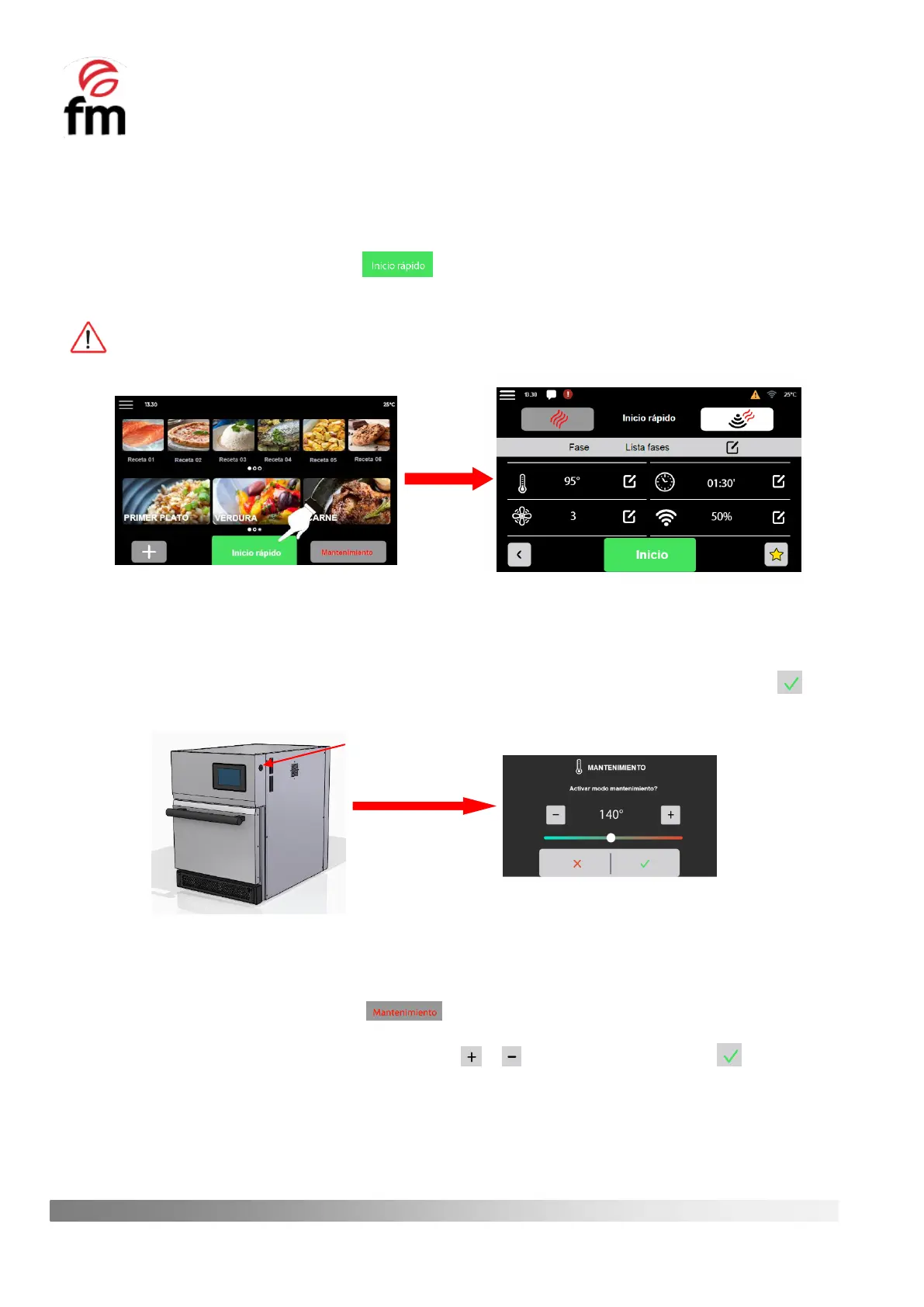
As with the “NEW RECIPE” icon, by clicking on the quick start icon, you can access the configuration screen for the
parameters of a recipe. To do this, the following steps must be carried out:
1. Make sure that no operations are in progress.
2. From the home screen, click on the icon and you will get access to the parameter configuration
screen of a recipe.
3. Press start to launch the recipe.
All the functionalities accessed through this icon are similar to those described in section 6.5, except that the
inclusion of phases is NOT ALLOWED.
6.8 “Maintenance” Icon
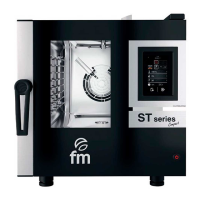
As specified in section 6.3, when the device is normally switched on from the ON/OFF button, the user is offered the
possibility of directly activating this mode by displaying a window in which, if he/she wishes to start it up, he/she must
select the desired temperature using the temperature increase/decrease icons or scroll bar and then click on the icon.
If you do not wish to activate the “maintenance mode”, simply click on the icon to access the main screen of the device.
If you wish to activate the “maintenance mode” if this has not already been done when switching on the device, you
should go to the home screen and proceed as follows:
1. Make sure that no operations are in progress.
2. From the home screen, click on the icon and you will get access to the temperature selection
window for activation of this mode.
3. Select the desired temperature by means of the icons or or use the scroll bar and press .



 To Next Page