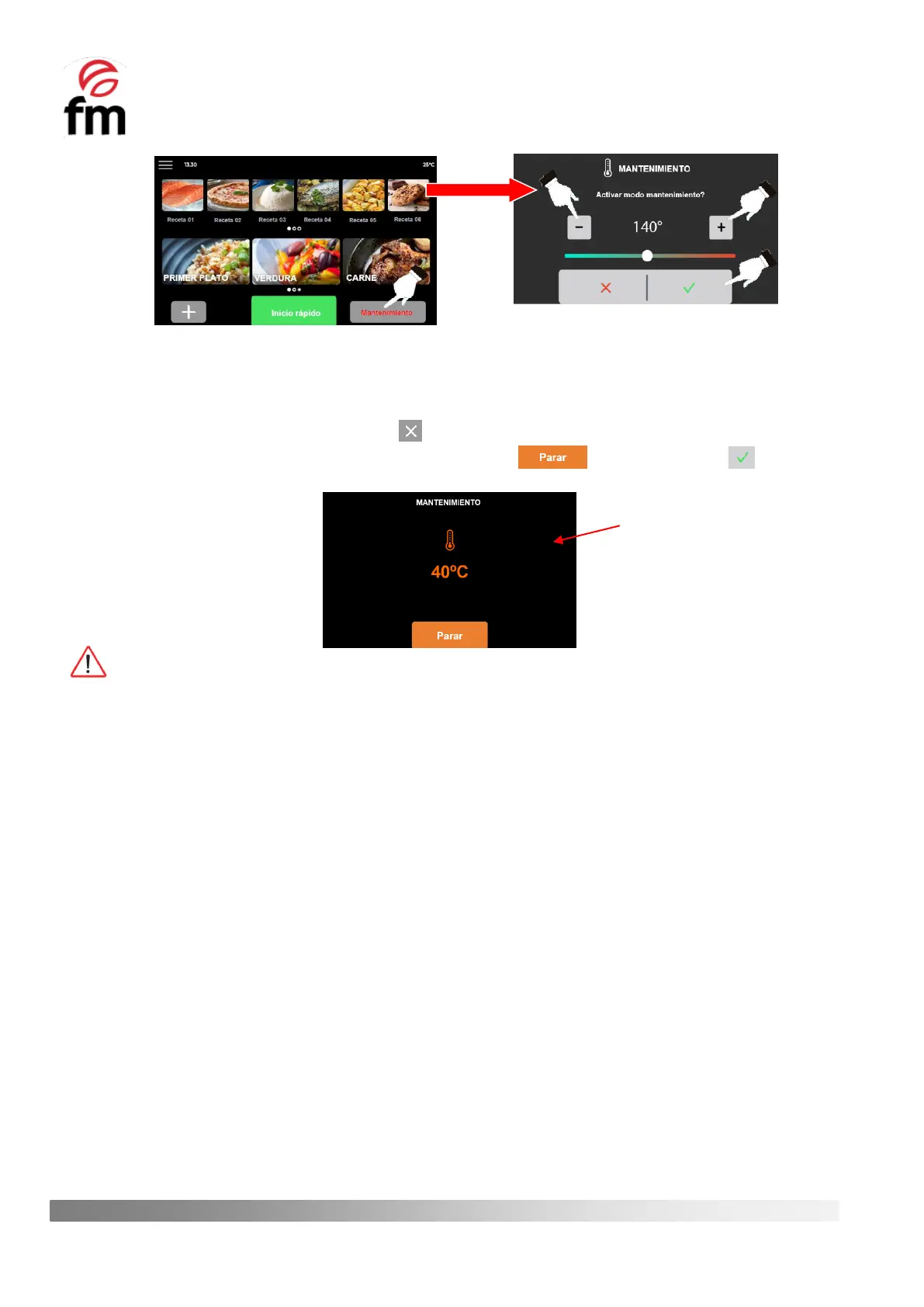
4. When this mode is activated, a standby screen will appear on which the temperature increase of the chamber
will be shown in real time. Once the desired temperature value is reached, a warning will be emitted on the
screen and, in addition, an acoustic signal will be activated informing of this event. To deactivate this signal,
simply click on the horn icon or on the icon and, once this event is recognised, the maintenance process will
remain active until it is manually deactivated by clicking on the icon and then, on the icon.
While the “maintenance mode” is running, no other operation can be carried out.



 To Next Page