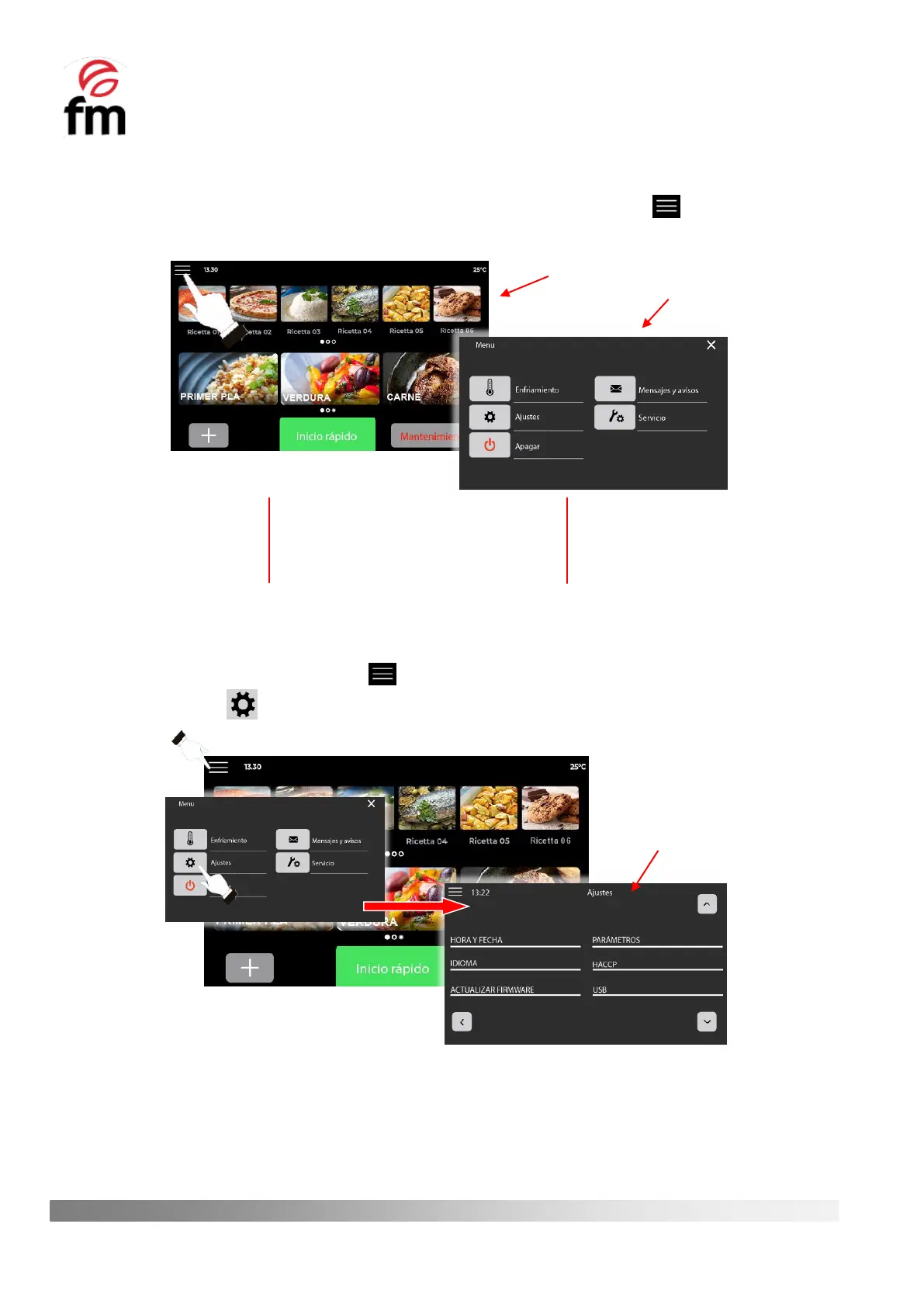
6.4 “Main menu” Icon. Actions and submenus
1. To access the main manu of the device, from the home screen, click on the icon . This will take you to a
window showing the most relevant options and actions available on the device.
6.4.1. “SETTINGS” submenu
1. Make sure that the device is switched on and no operation is in progress.
2. From the home screen, tap on the icon .
3. Click on the icon to access the settings submenu.
Each of the actions that can be carried out with the different options shown in the settings submenu are detailed
below:
Cooling (section 6.4.3)
Switch off (section 6.4.4)
Messages and warnings (section
6.4.5)



 To Next Page