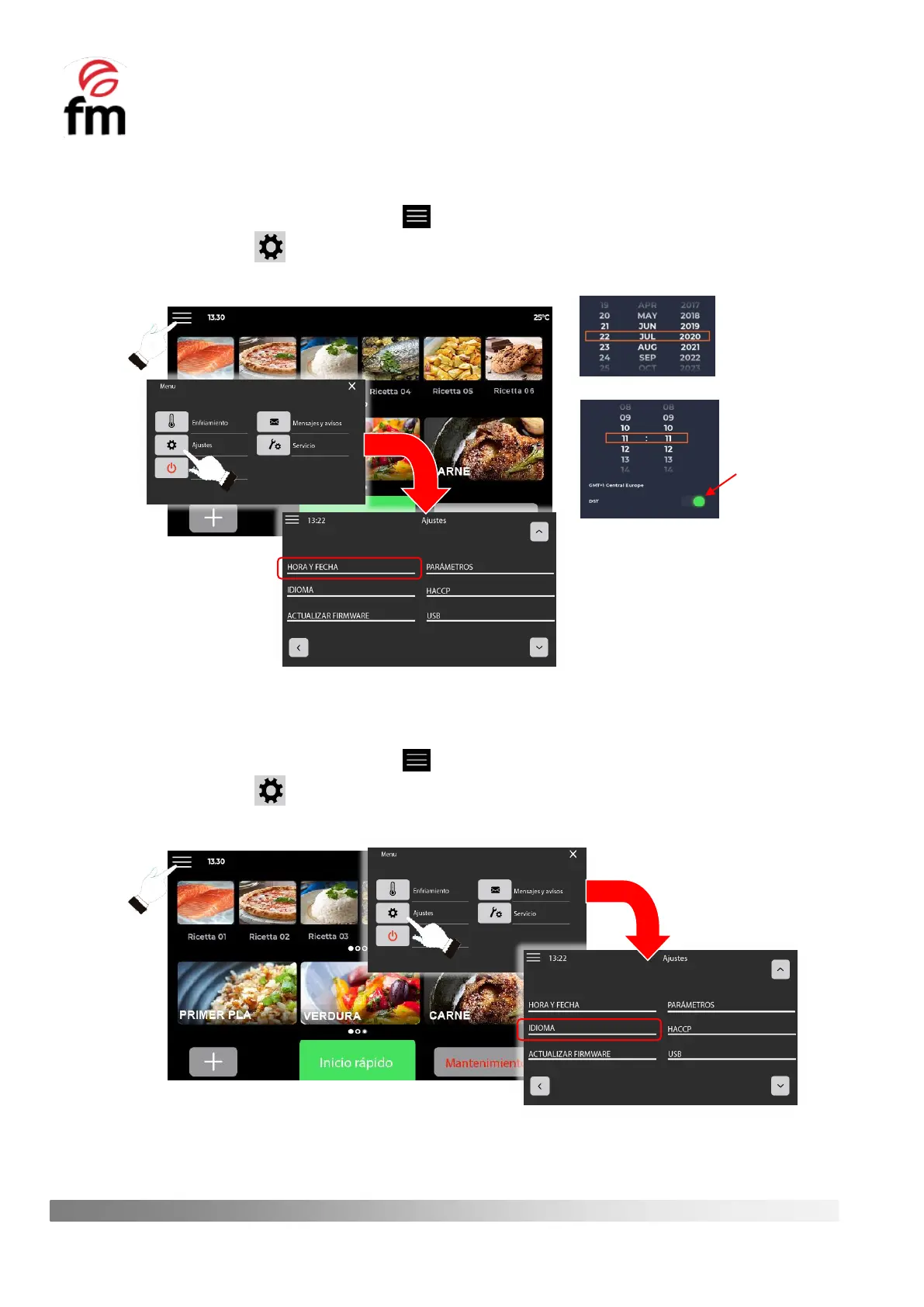
TIME AND DATE
1. Make sure that the device is switched on and no operation is in progress.
2. From the home screen, click on the icon .
3. Click on the icon to access the settings menu and then click on “TIME AND DATE”.
4. Set the date and time correctly and activate, if desired, the automatic seasonal time change (DST).
LANGUAGE
1. Make sure that the device is switched on and no operation is in progress.
2. From the home screen, click on the icon .
3. Click on the icon to access the settings menu and then click on “LANGUAGE”.
4. Choose the desired language from the options displayed and press “OK”.



 To Next Page