focusrite.com Tell the world 16
Manual gain adjustment
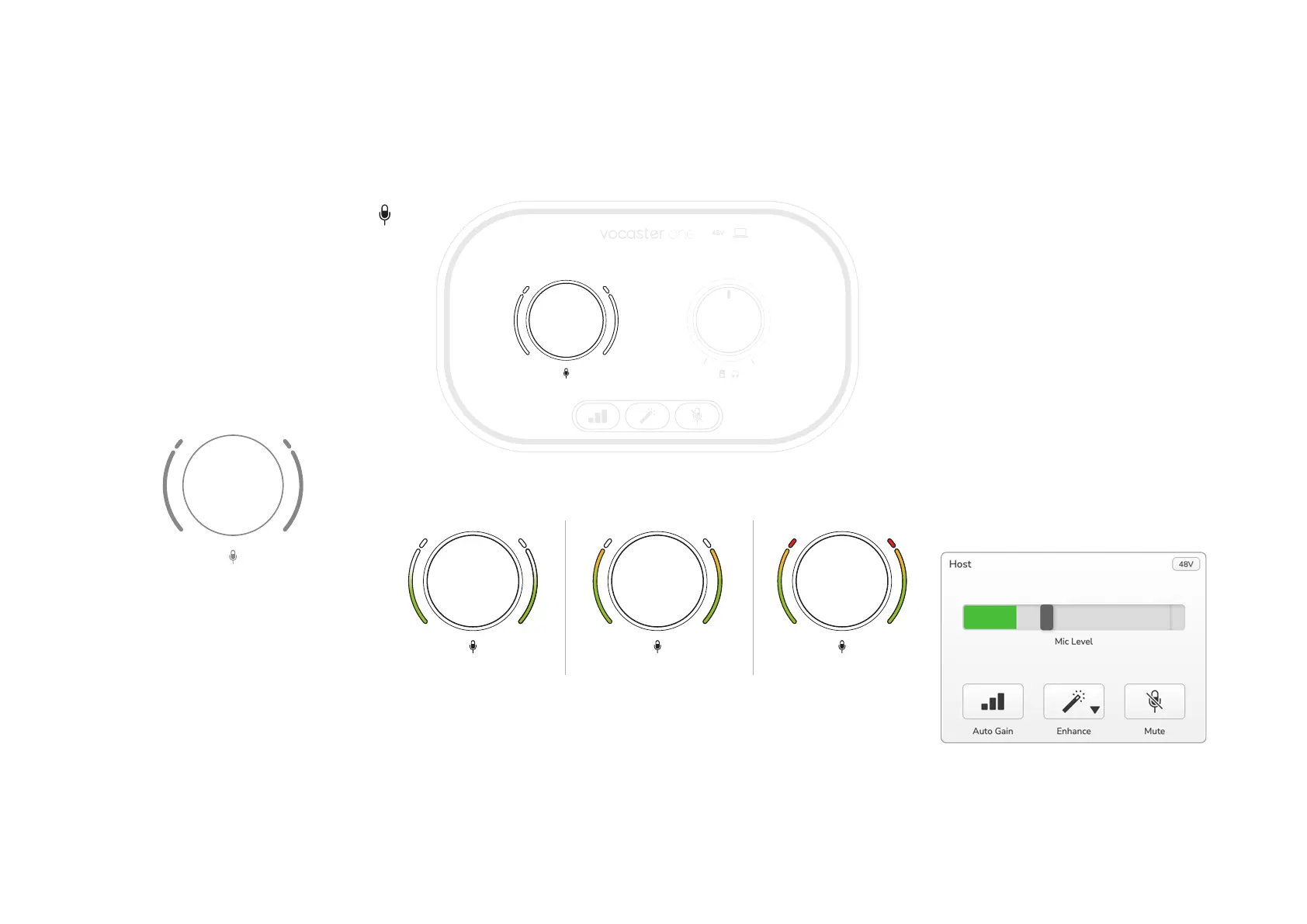
On Vocaster One, the large knob marked
sets the microphone gain, and the level to
your recording software.
The gain knob is surrounded by two LED
‘halo’ indicators, shaped as arcs. These light
in various colours to show the microphone
signal level.
When you’re adjusting the gain by turning
the knob, the left halo changes to white to
show the gain setting.
48V
Good Level A bit too high
Your recording
will distort
To set your gain, speak into your microphone
as if you were recording, adjust the gain knob
until the halo(s) just start to turn amber when
you speak at your loudest. At this point, turn
the knob down a bit until you don’t see any
amber. If the halos ever turn red, you will
denitely need to turn the gain knob down:
red means your recording is likely to distort.
(See diagrams below.)
You can also adjust the gain from Vocaster
Hub by moving the on-screen Mic Level
slider: drag it to the right to increase the gain.
EXAMPLES OF USE


 To Next Page