9
the main monitor outputs on the rear panel, but can be congured in Focusrite Control to
adjust the level of multiple pairs of outputs.
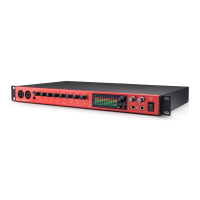
11. DIM and MUTE – two switches controlling the Clarett+ 8Pre’s monitor outputs; DIM reduces
the output levels by 18 dB, while MUTE turns the outputs off. By default, these switches affect
the main monitor outputs 1 and 2, but may be congured in Focusrite Control to act on any
of the analogue outputs. The switches are internally illuminated (DIM: yellow, MUTE: red)
indicating the function is selected.
12.
(Headphones) 1 and 2 – connect one or two pairs of stereo headphones at the two ¼” TRS
jack sockets below the controls. The headphone outputs always carry the signals currently
routed to analogue outputs 7/8 and 9/10 (as stereo pairs) in Focusrite Control.
13. POWER – AC power switch and LED.
14. Rack ears for mounting the Clarett+ 8Pre in a standard 19” equipment rack.













 To Next Page