EasyManua.ls Logo

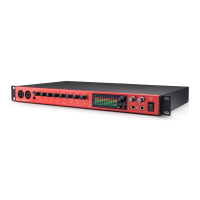
Focusrite Clarett 8 Pre - User Manual

Focusrite Clarett 8 Pre
18 pages
Print Icon
To Next Page IconTo Next Page
Loading...
User Guide
www.focusrite.com
FFFA001253
Question and Answer IconNeed help?

Do you have a question about the Focusrite Clarett 8 Pre and is the answer not in the manual?

Summary

Features

GETTING STARTED

Software Installation

Details the process of downloading and installing essential software and drivers from the Focusrite website using a bundle code.

Hardware Features

Rear Panel

Connecting your Clarett 8 Pre

Audio Setup in your DAW

Guides users to manually select the Focusrite Thunderbolt driver in their DAW's audio setup if it's not automatic.

Connecting Clarett 8 Pre to loudspeakers

A note about latency

FOCUSRITE CONTROL - OVERVIEW

CLARETT 8 PRE TECHNICAL SPECIFICATIONS

Physical and Electrical Characteristics

TROUBLESHOOTING

Summary

Features

GETTING STARTED

Software Installation

Details the process of downloading and installing essential software and drivers from the Focusrite website using a bundle code.

Hardware Features

Rear Panel

Connecting your Clarett 8 Pre

Audio Setup in your DAW

Guides users to manually select the Focusrite Thunderbolt driver in their DAW's audio setup if it's not automatic.

Connecting Clarett 8 Pre to loudspeakers

A note about latency

FOCUSRITE CONTROL - OVERVIEW

CLARETT 8 PRE TECHNICAL SPECIFICATIONS

Physical and Electrical Characteristics

TROUBLESHOOTING

Focusrite Clarett 8 Pre Specifications

General IconGeneral
TypeAudio Interface
Number of Preamps8
ConnectivityThunderbolt
Max Sample Rate192 kHz
Bit Depth24-bit
Word ClockYes
Form FactorRackmount
Rack Spaces1U
USBNo
Phantom PowerYes
MIDI I/OIn/Out
Thunderbolt1 x Thunderbolt
SoftwareFocusrite Control
Dynamic Range118 dB (A-weighted)
Inputs8 XLR/TRS combo (mic/line/instrument)
Outputs8 TRS (line)

Related product manuals