12
Connecting Clarett+ 8Pre to loudspeakers
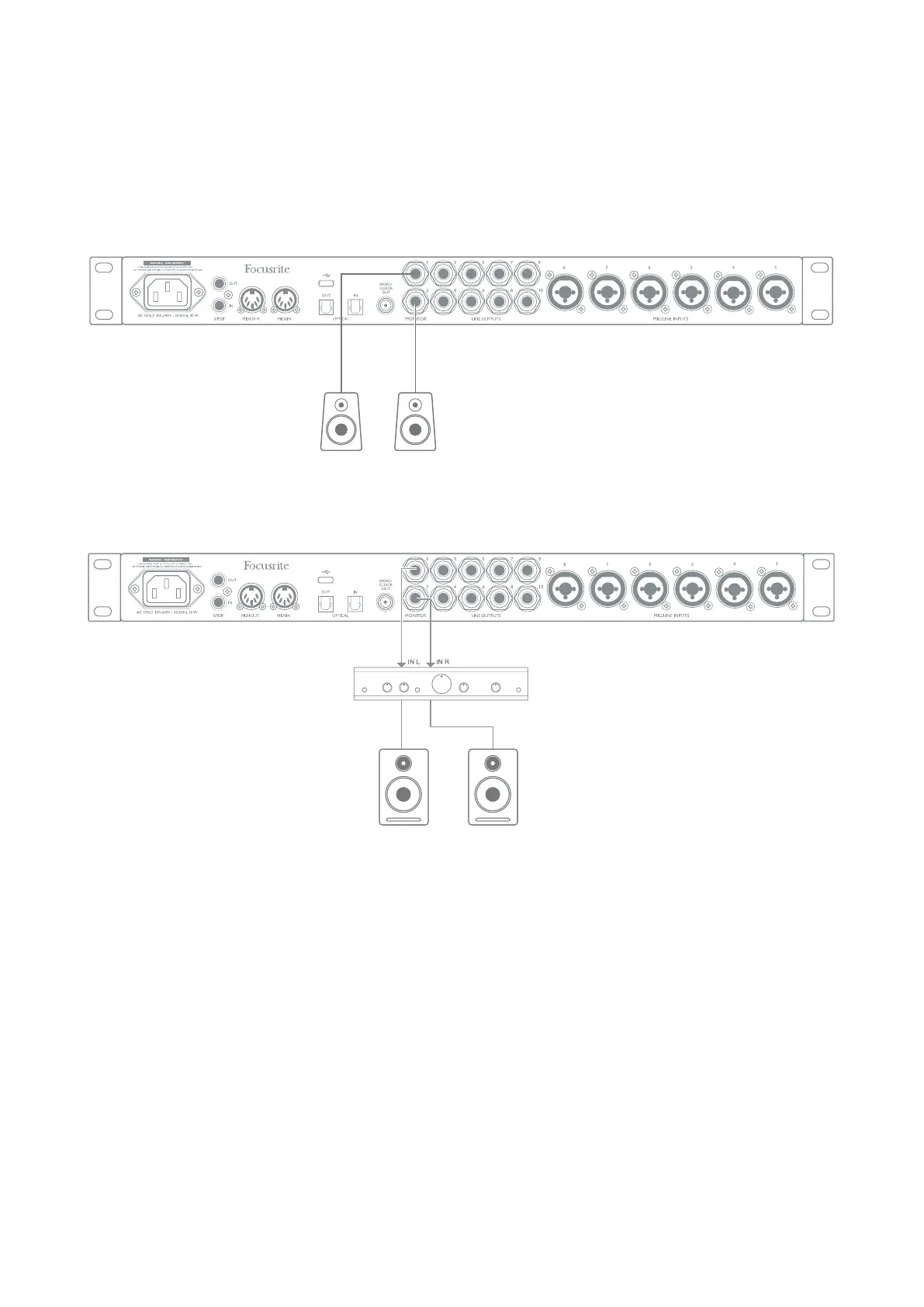
The 1/4” jack MONITOR outputs on the rear panel (Line Outputs 1 and 2) will normally be used to
drive monitoring speakers. Self-powered monitors have internal ampliers, and may be connected
directly. Passive loudspeakers will require a separate stereo amplier; in this case, the rear panel
outputs should be connected to the amplier’s inputs.
Stereo amplifier
All the line output connectors are 3-pole (TRS) ¼” jack sockets, and are electronically balanced.
Typical consumer (hi-) ampliers and small powered monitors will have unbalanced inputs, either
on phono (RCA) sockets, or via a 3.5 mm 3-pole jack plug intended for direct connection to a computer.
In either case, use a suitable connecting cable with jack plugs at one end.
Professional power ampliers will generally have balanced inputs.
Connecting active speakers
Connecting passive speakers













 To Next Page